In this guide, we have mentioned the key steps of how to integrate NetHunt into Salesforce using MultiSync Made Easy.
A Step-by-Step Process
Follow the mentioned below steps to find the API Key
Step 1:- First, sign in to your NetHunt account and If you don’t have one, create a new account from here.
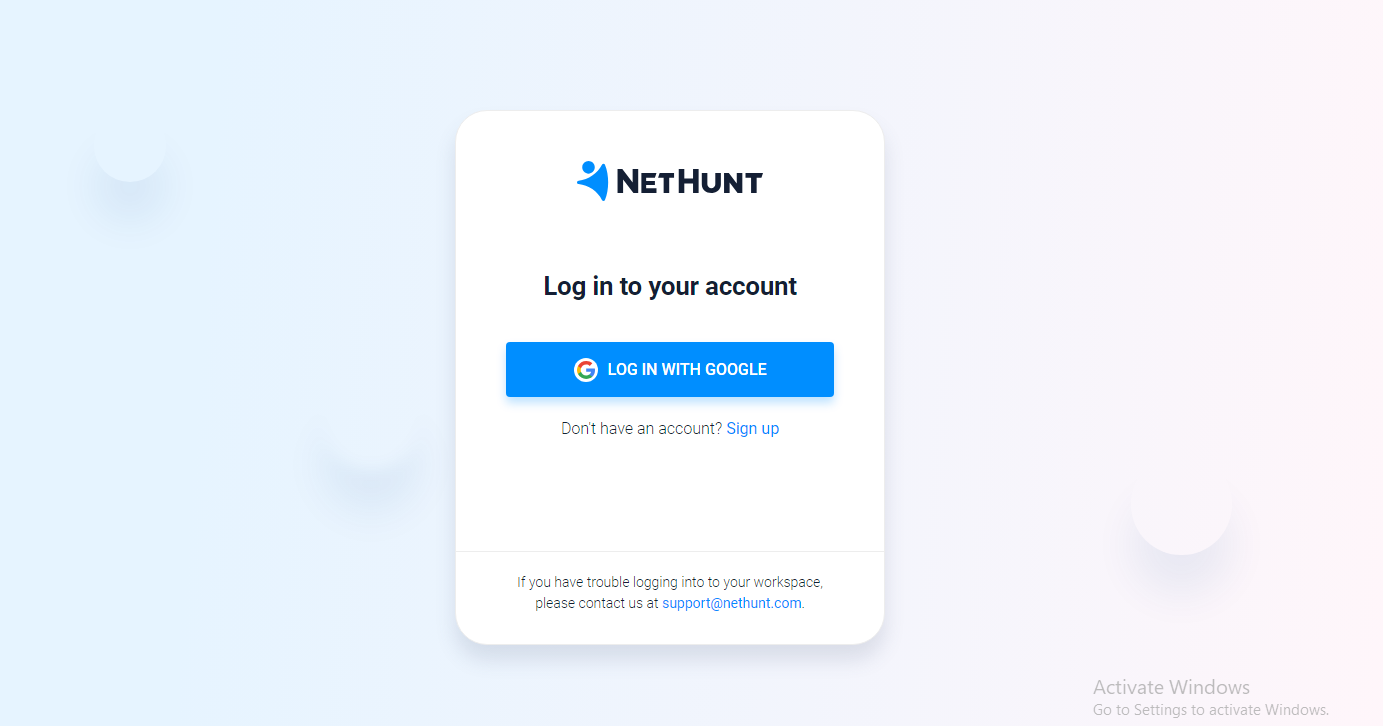
Step 2:- After successfully creating your account, you will be redirected to the following page.
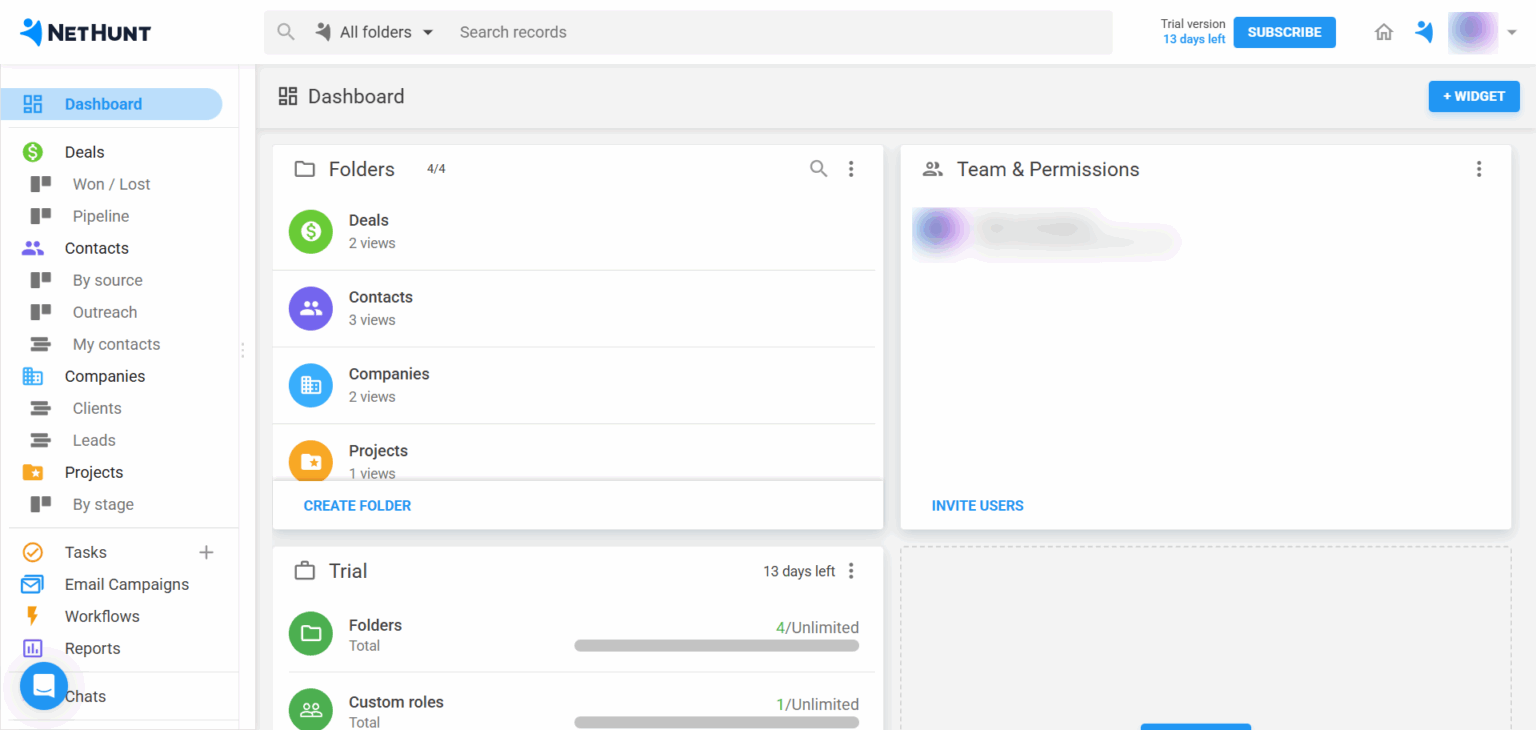
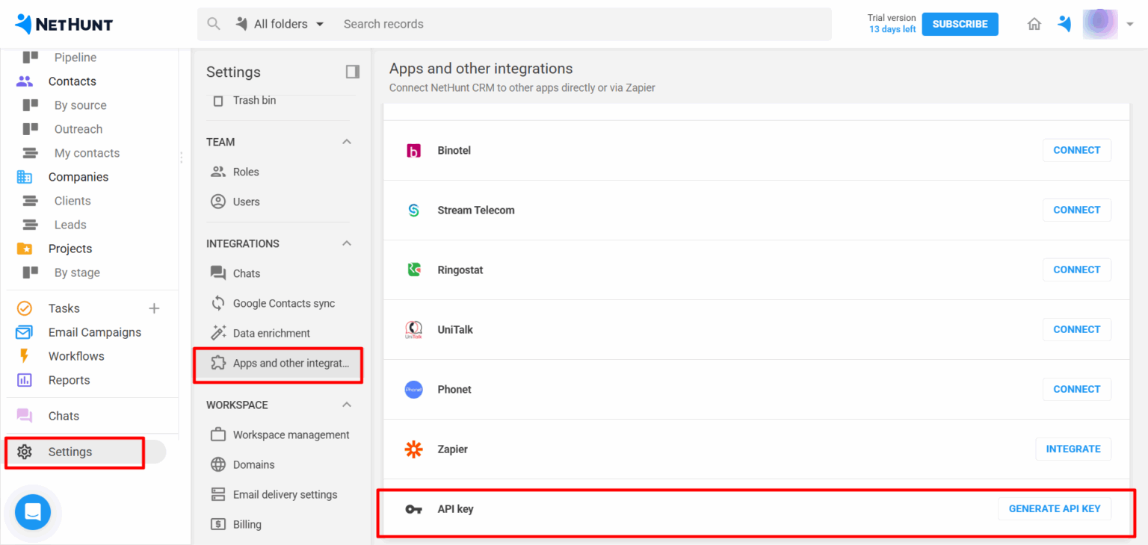
Step 3:- On the left sidebar, click Settings, then select Apps and Other Integrations, and finally click on API Key.
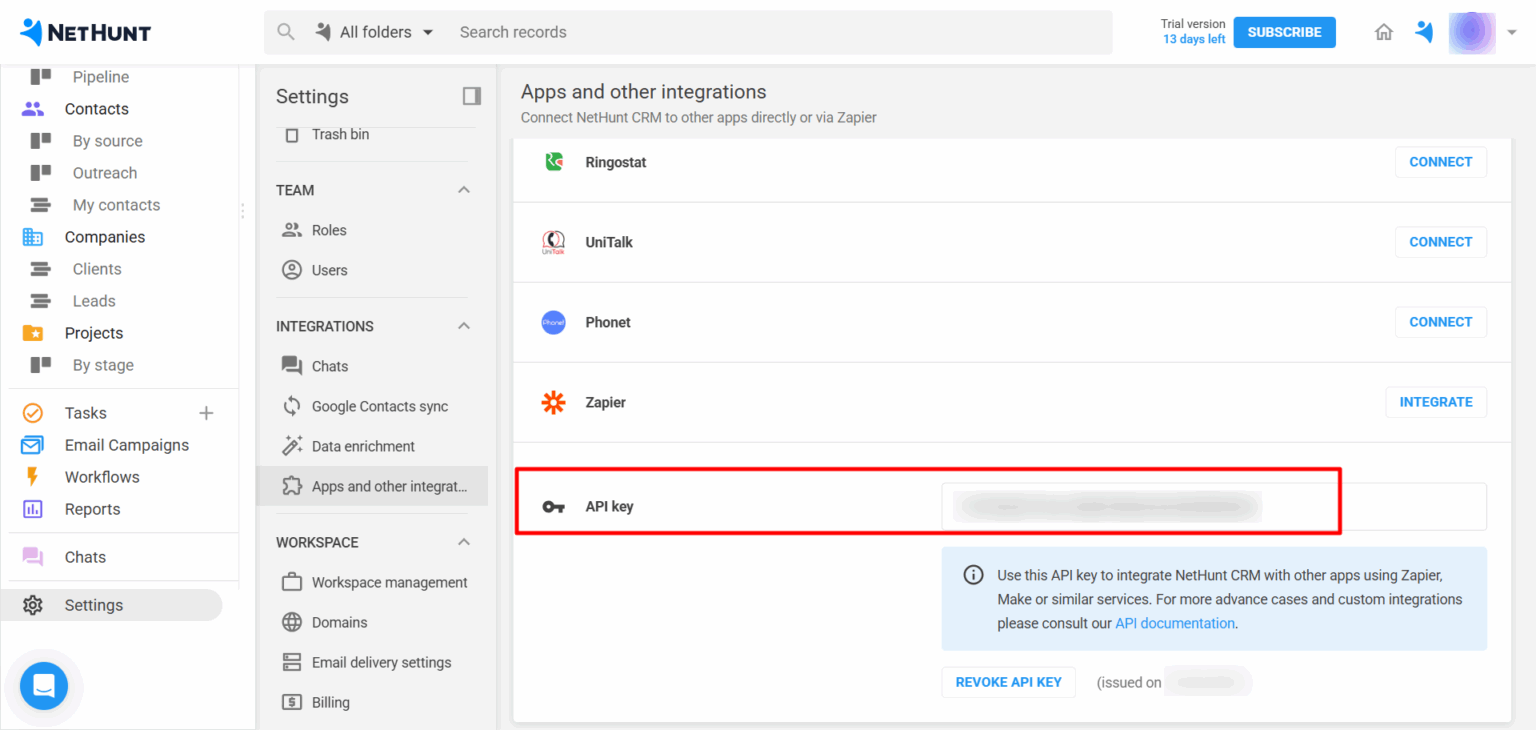
Step 4:- Click Generate API Key to obtain your credentials. For basic authentication, use your email as the username and the generated API key as the password.
Step 5:- Login the Salesforce and goto the Multisync Made Easy Page and Click on All and Search Nethunt.
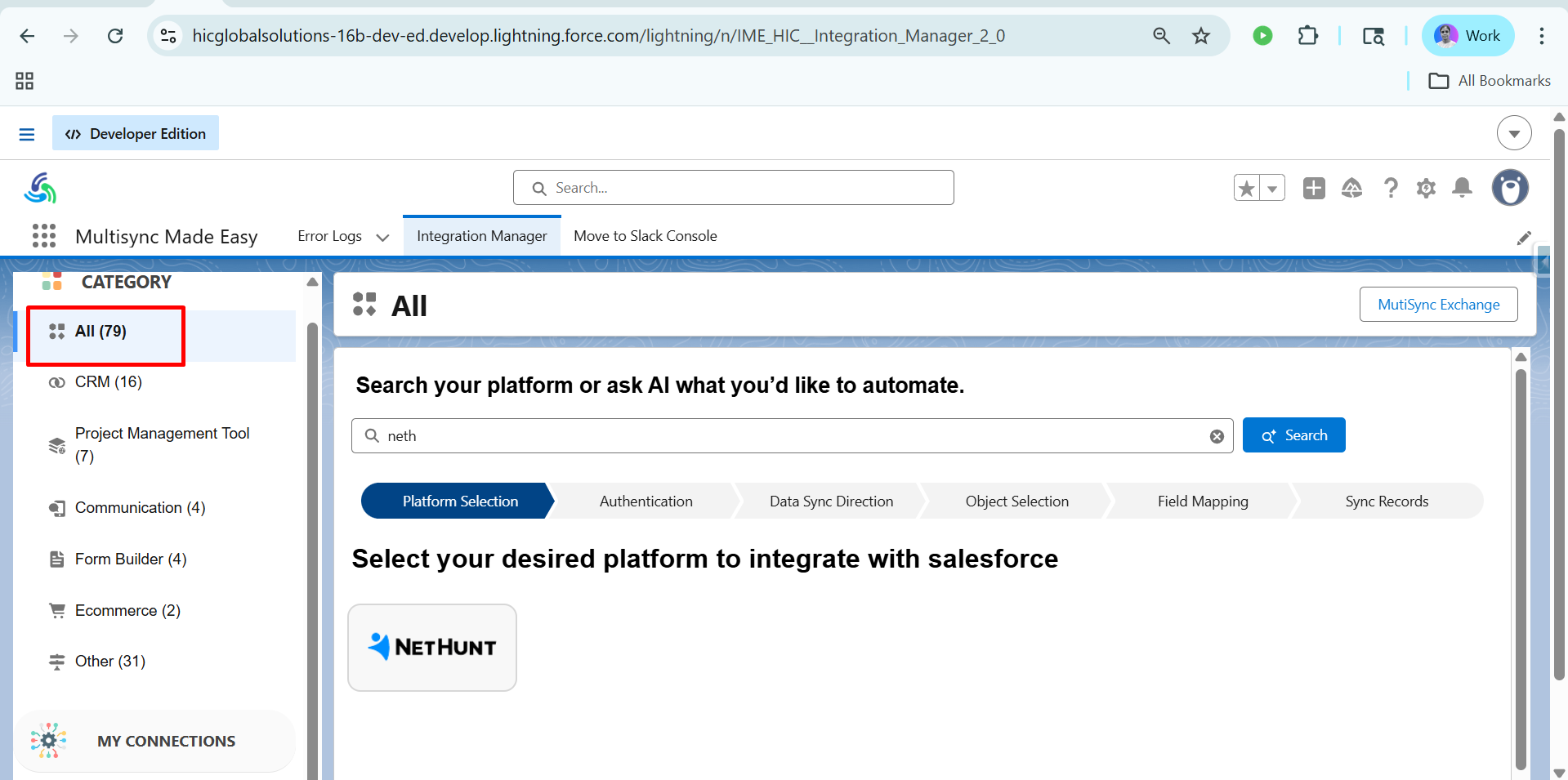
Step 6:- After choosing the Nethunt , Enter Username and Password , in username your mail id in which NetHunt account will be created with this email ID. and in password enter the API Token and Click on Save & Authentication.
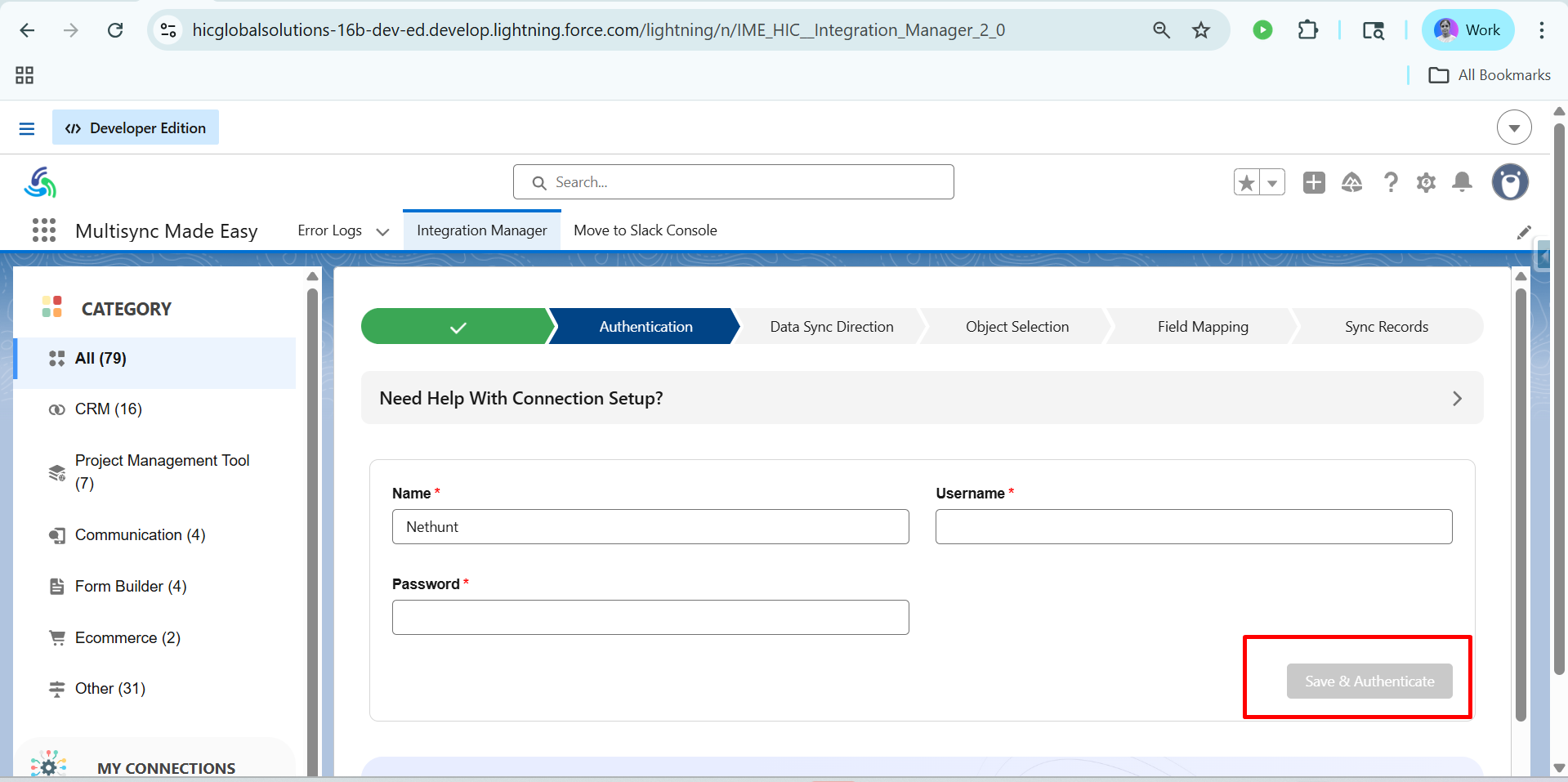
Step 7:- After clicking on save and Authentication, you will see the dashboard like this. And Next Click on the Import.
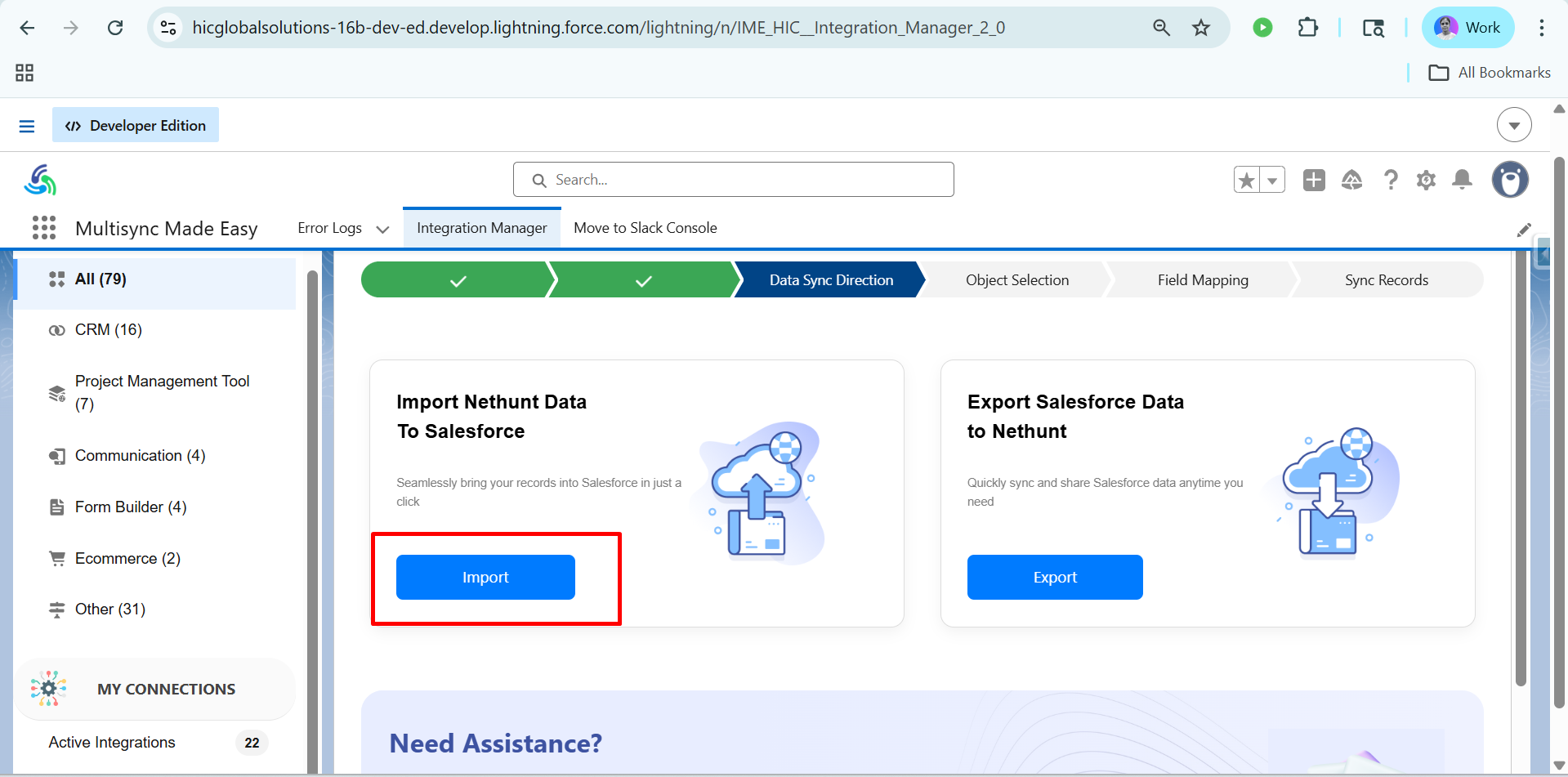
Step 8:- After clicking on Import, you will see the dashboard like this & Click on Proceed.
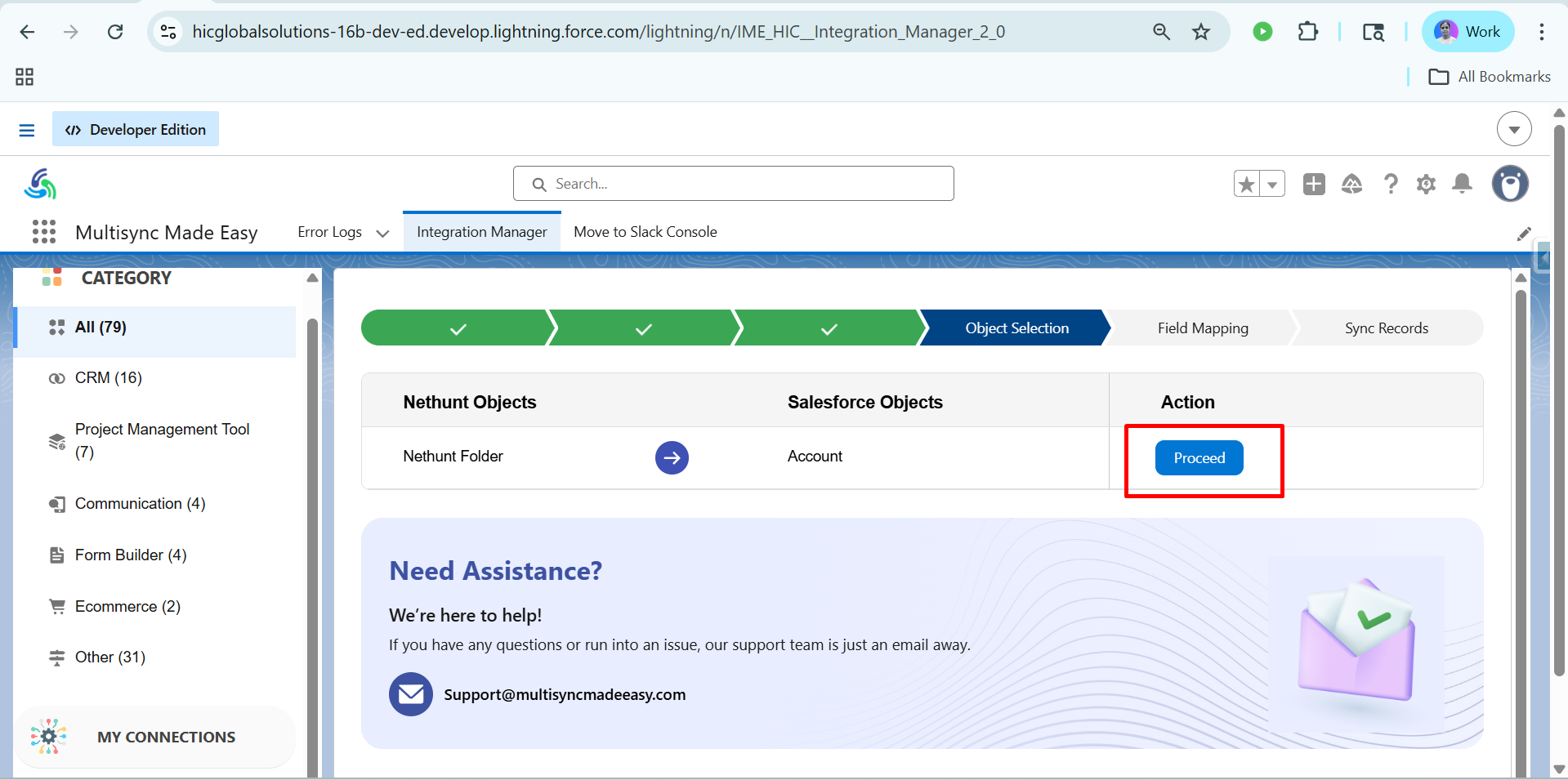
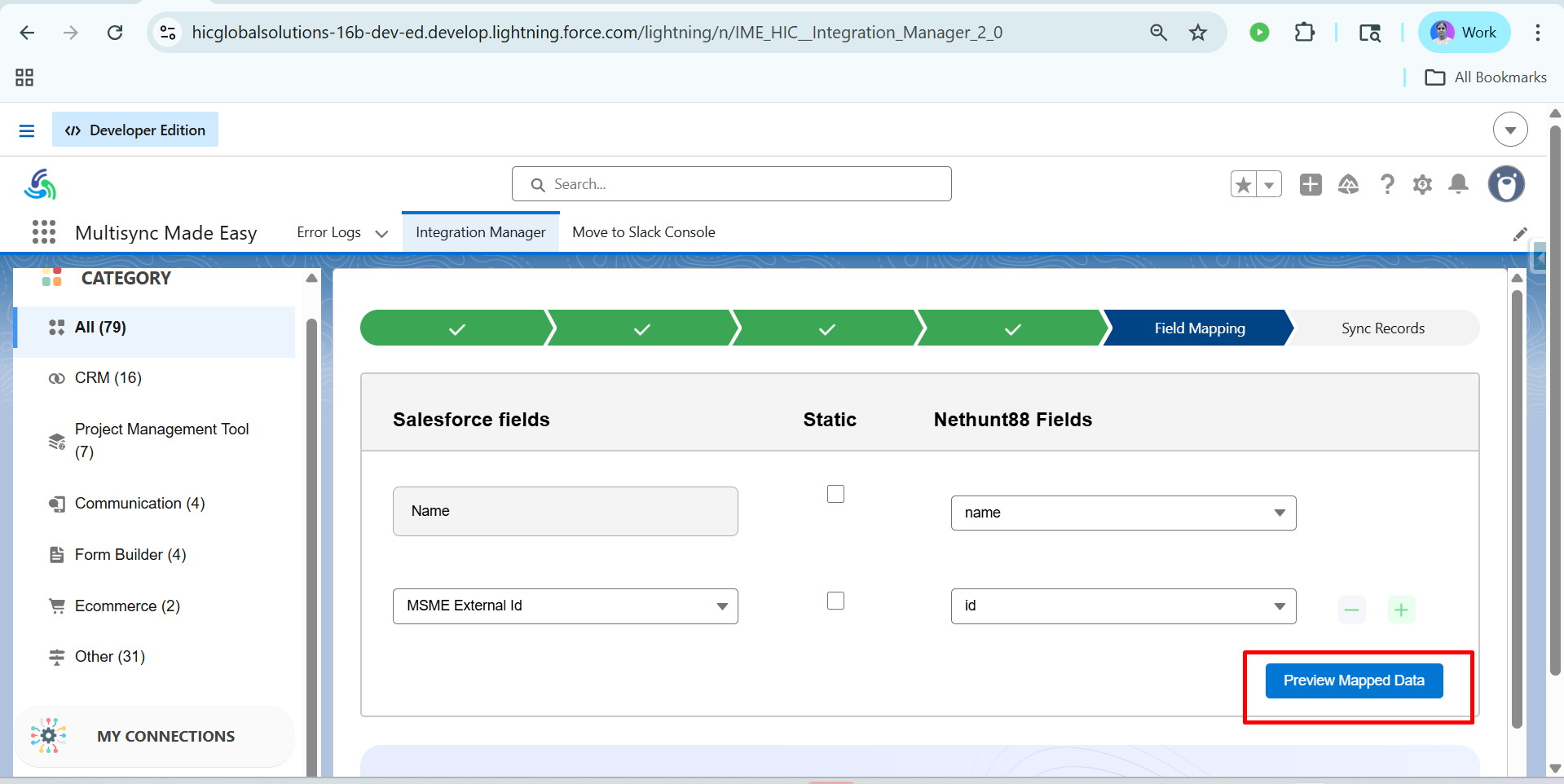
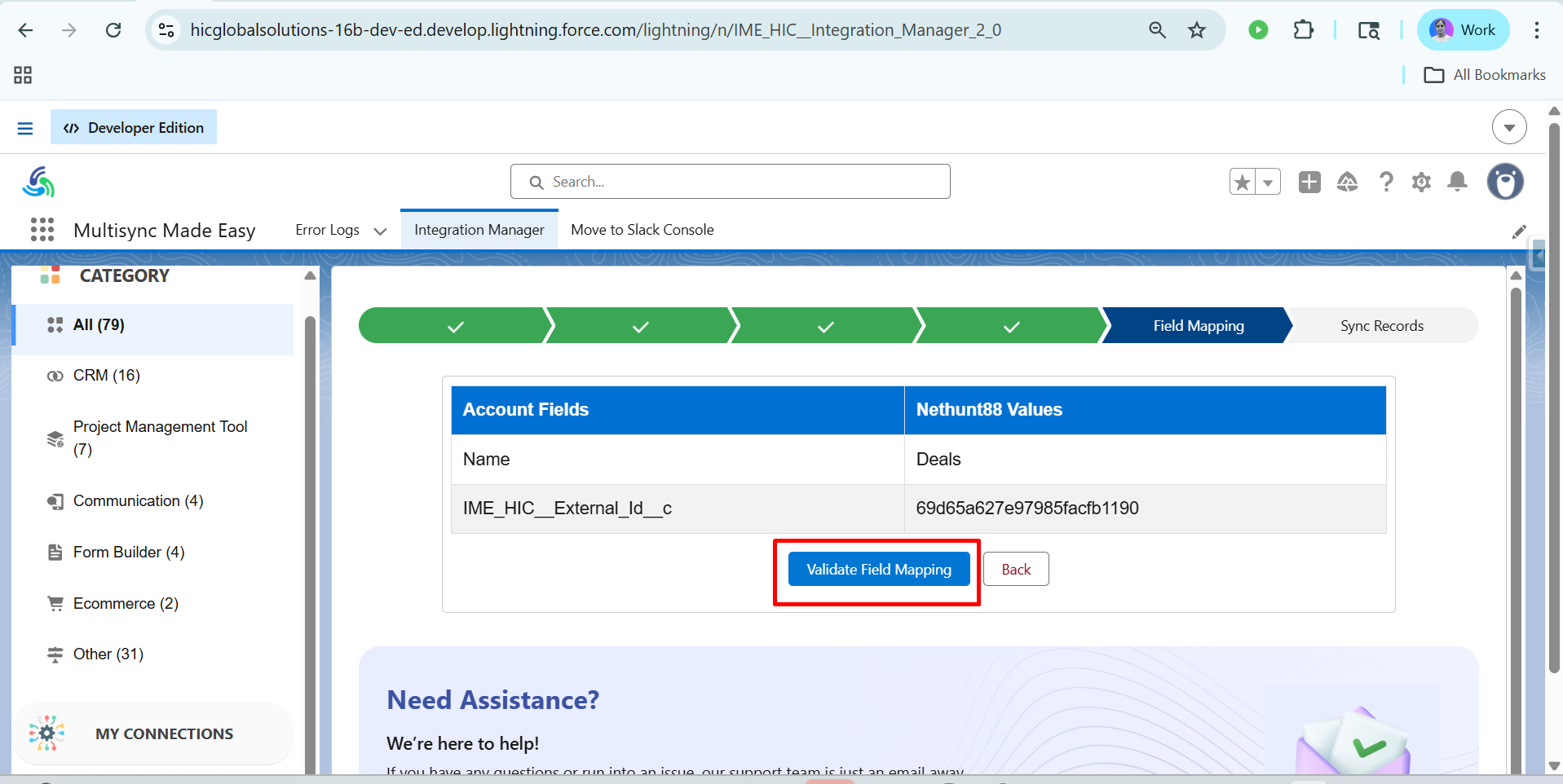
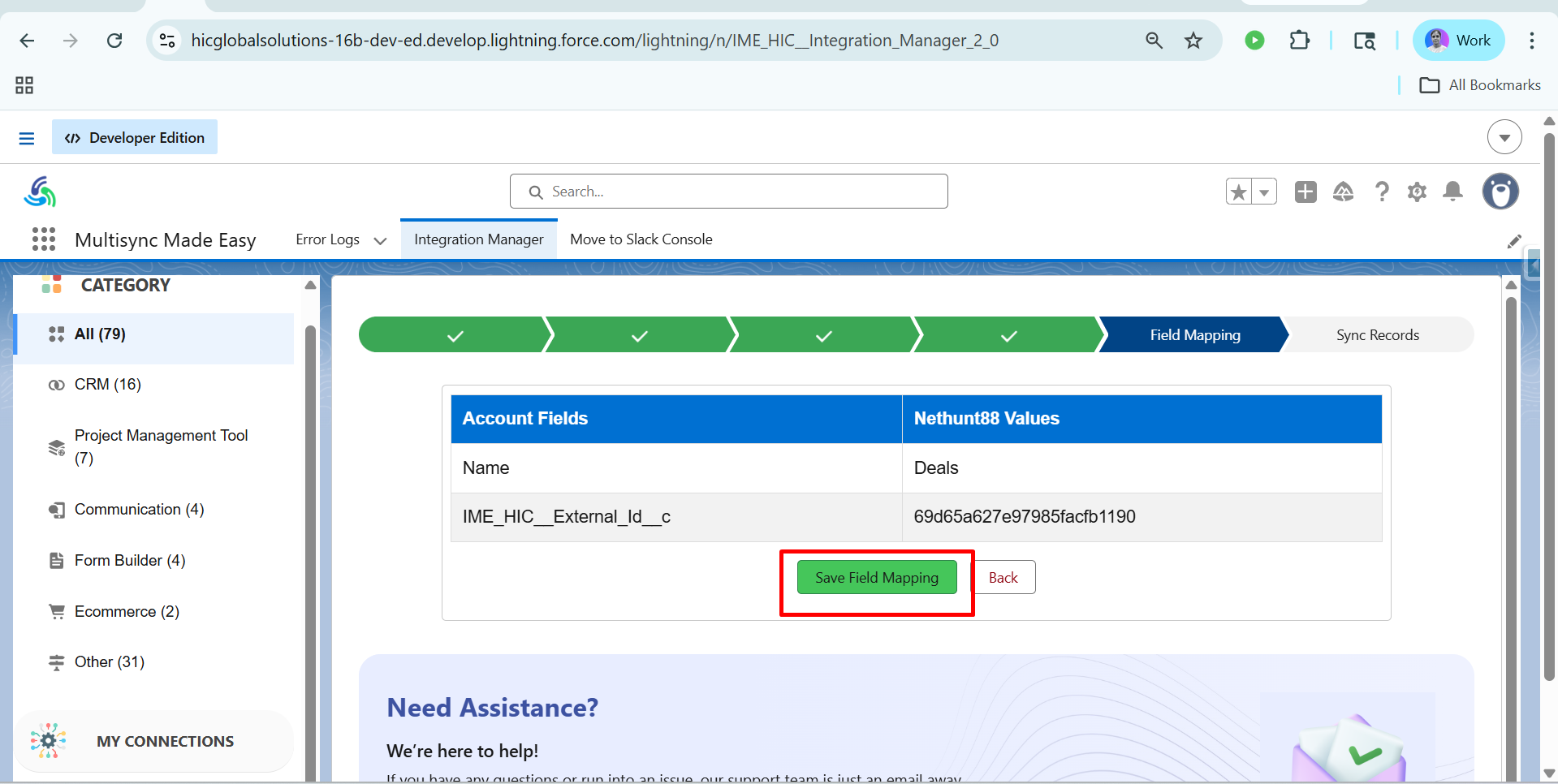
Step 9:- After that Choose MSME External Id and Click on Preview Mapped Data and After that Click on Validate Field Mapping and After that Click on Save Field Mapping.
Step 10:- After that, you will see the dashboard like this & Click on Sync Data.
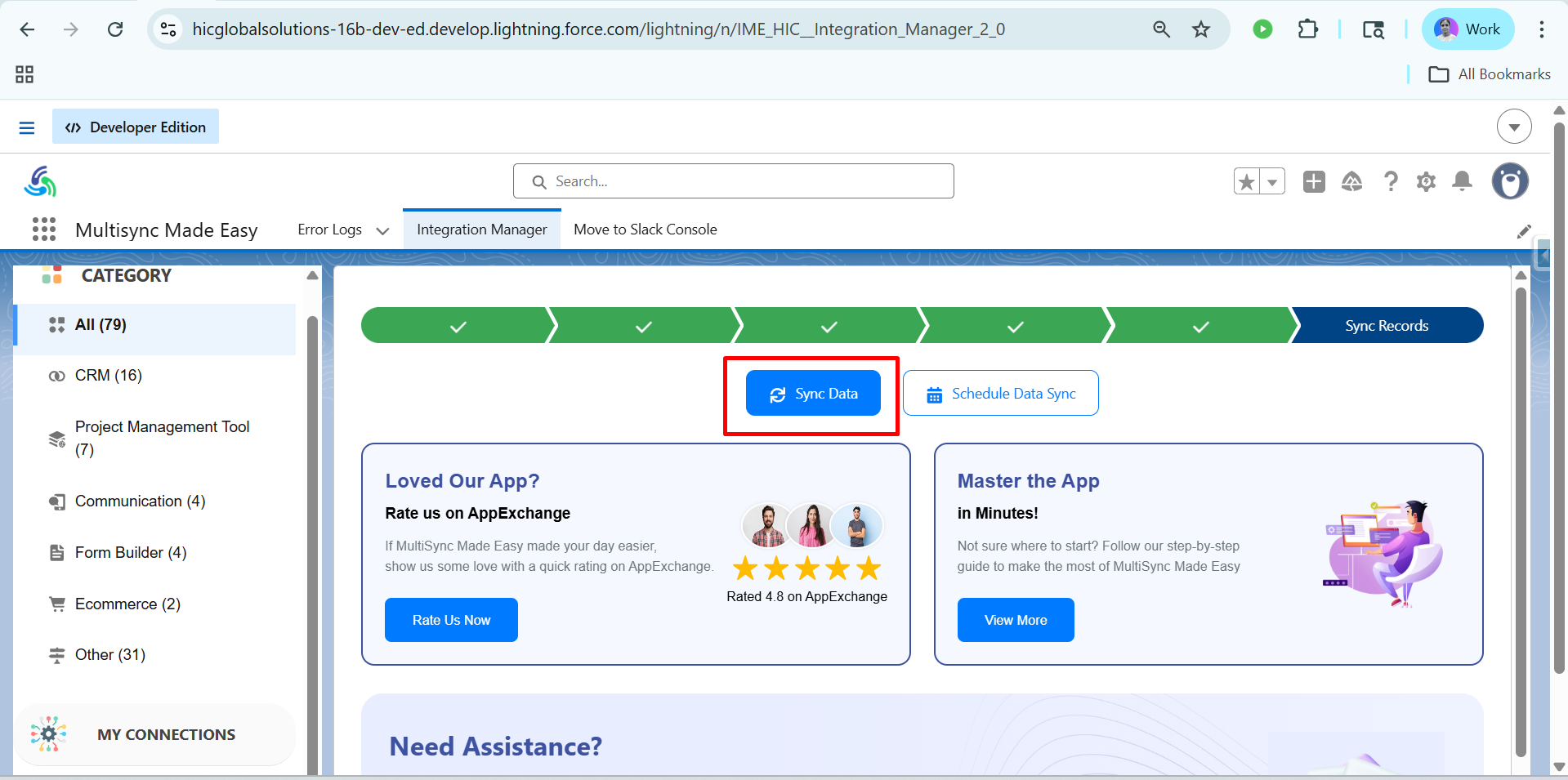
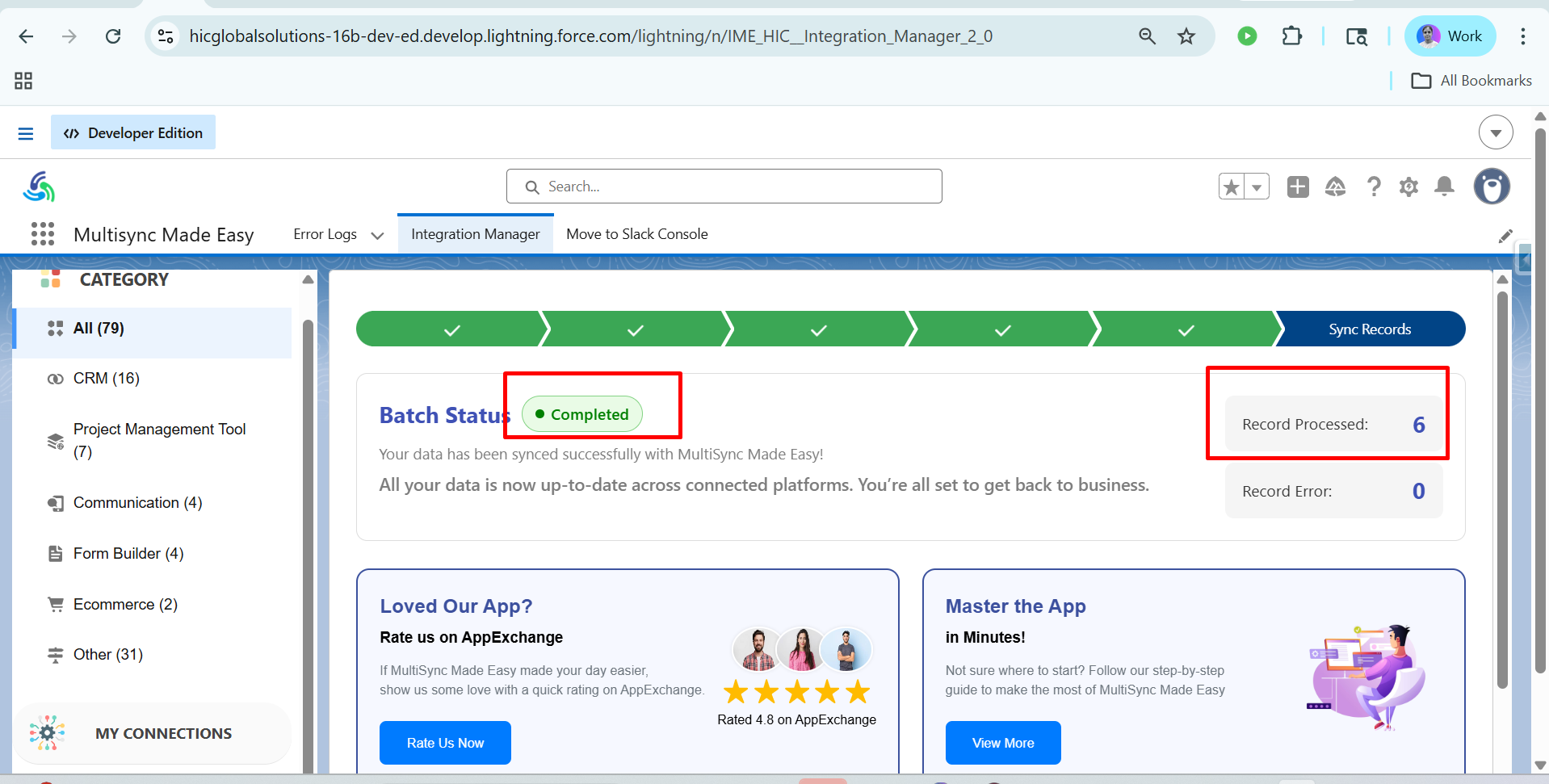
Step 11:- After clicking on Sync Data, you will see the dashboard like this & The data from Multi-Sync Made Easy has been synced with Nethunt successfully. The record was created successfully and the data has been generated.
Reference Link for your API Request: https://nethunt.com/integration-api
Conclusion
This is our strategic guide to integrating with NetHunt. You can explore the app at your convenience, and if you need any further assistance, please contact our Support team.
TABLE OF CONTENTS
Was this article helpful?
That’s Great!
Thank you for your feedback
Sorry! We couldn't be helpful
Thank you for your feedback
Feedback sent
We appreciate your effort and will try to fix the article