In this guide, we have mentioned the key steps of how to integrate Socie into Salesforce using MultiSync Made Easy.
A Step-by-Step Process
Look at the following steps to find the Credential
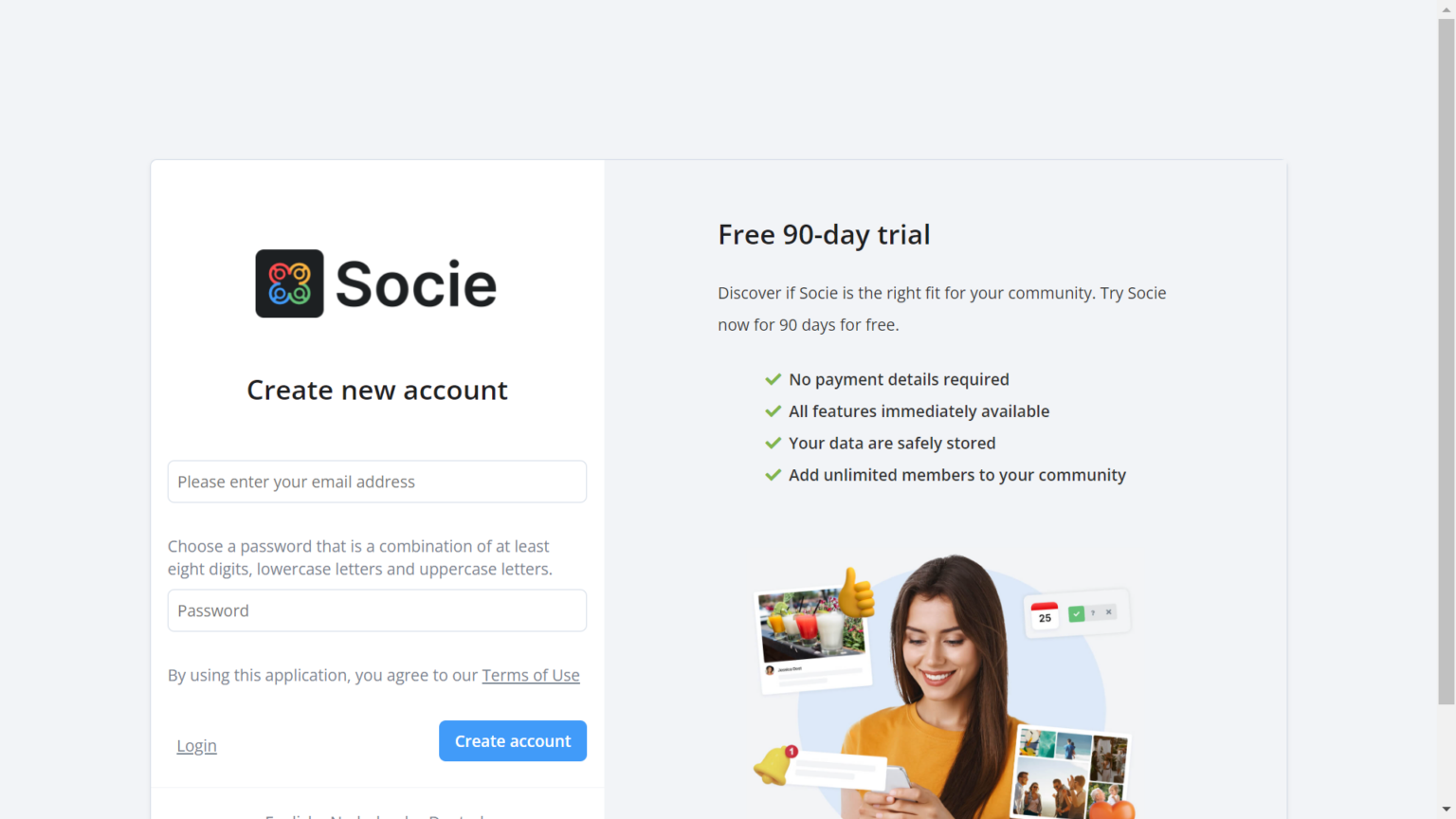
Step 1:- First, sign in to your Socie account and If you don’t have one, create a new account here.
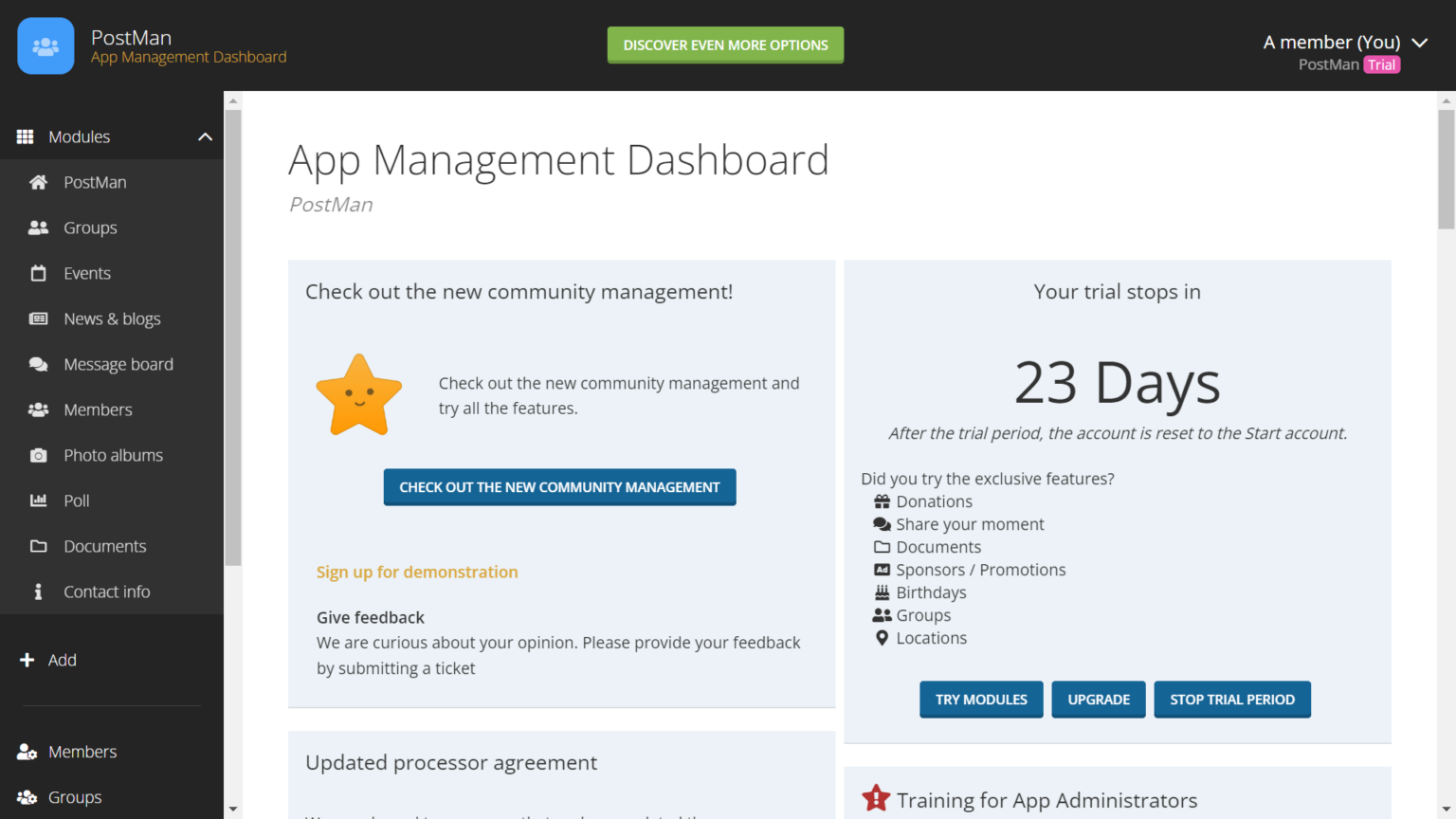
Step 2:- After logging in, you will see your account dashboard like this.
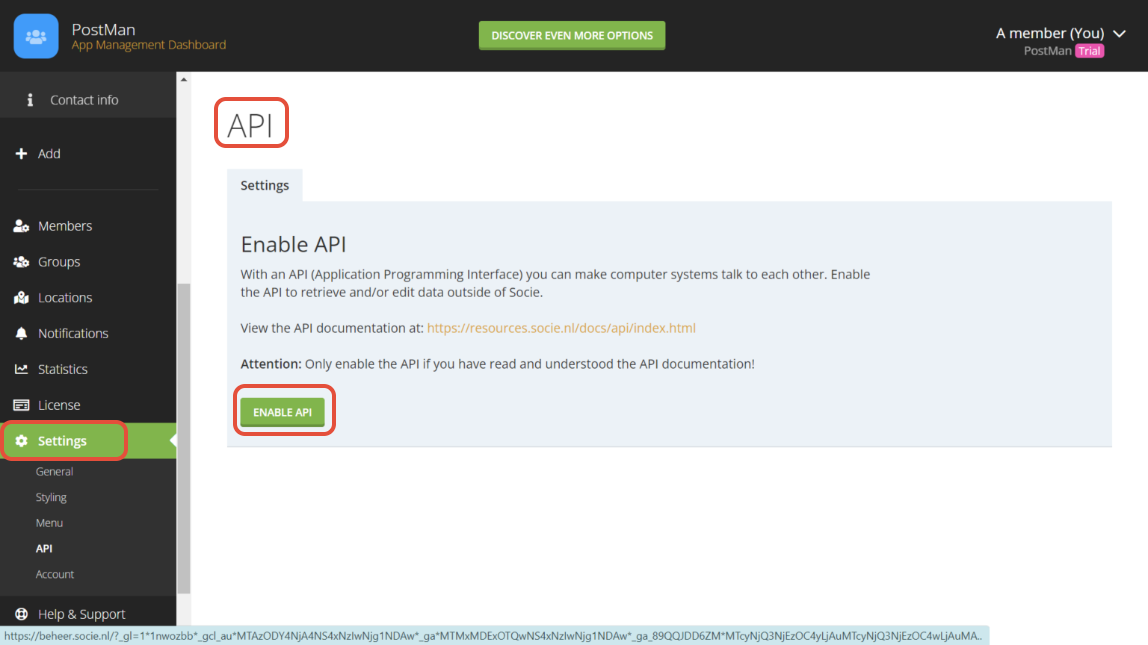
Step 3:- To obtain your API key, complete the following steps:
- Click on your Profile Icon.
- Navigate to User Settings.
- Select the API section.
- Enable the API to generate your API key.
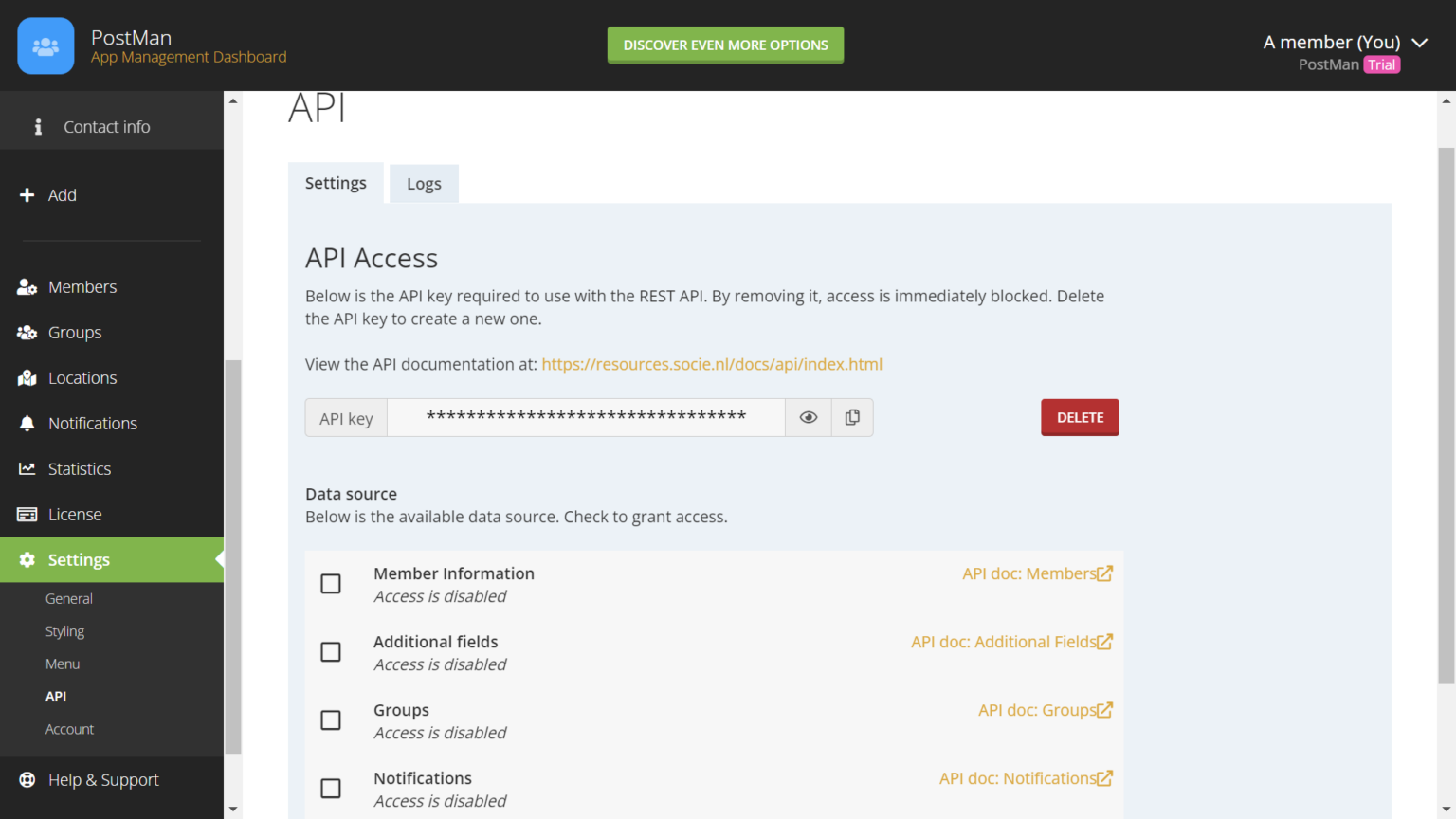
Step 4:- Copy and securely store your generated API token for future use.
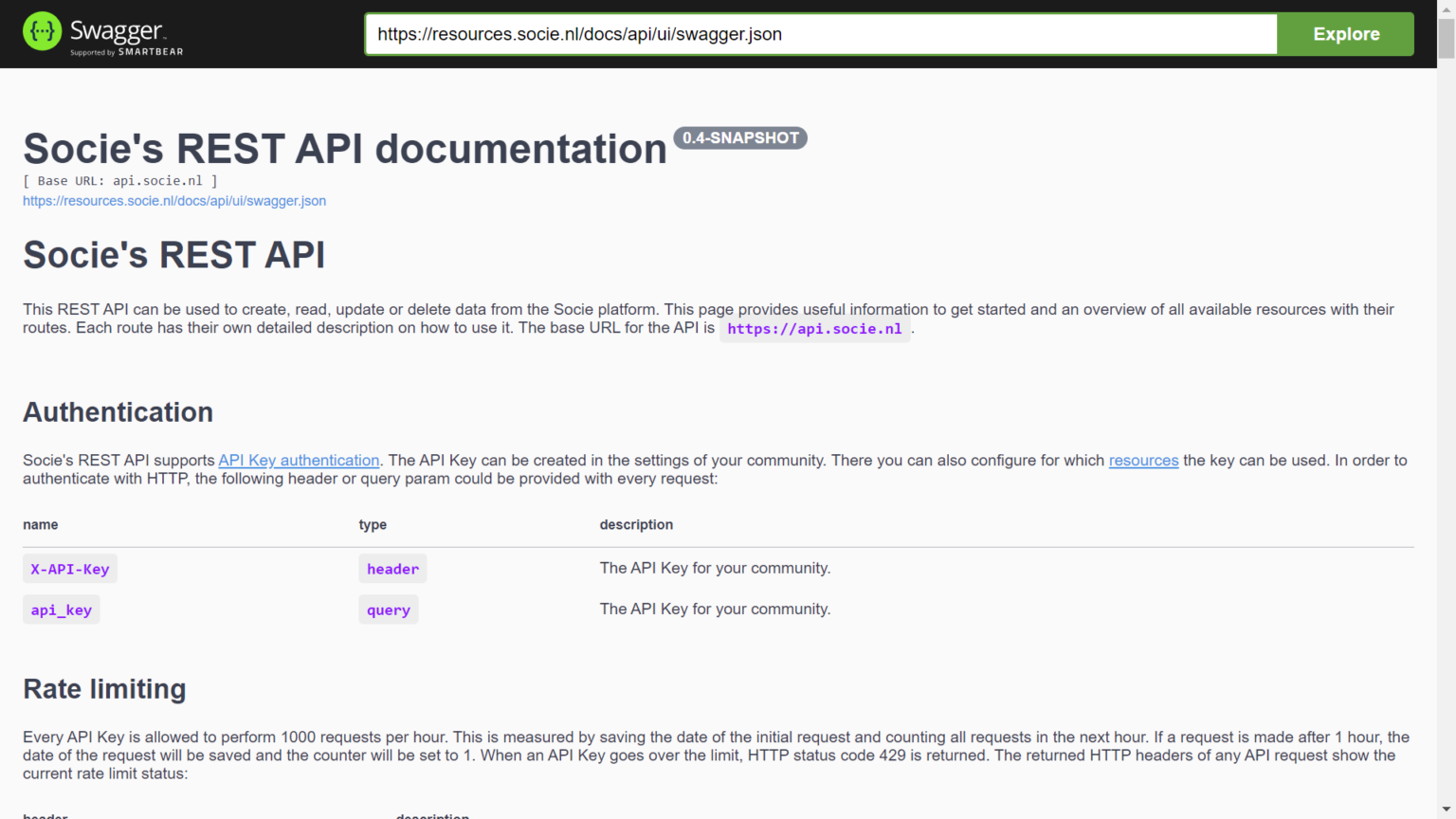
Step 5:- Obtain the API link needed to retrieve the desired data. For detailed instructions, refer to the
Conclusion
This is our strategic guide to integrating with Socie. You can explore the app at your convenience, and if you need any further assistance, please contact our Support team.
Was this article helpful?
That’s Great!
Thank you for your feedback
Sorry! We couldn't be helpful
Thank you for your feedback
Feedback sent
We appreciate your effort and will try to fix the article