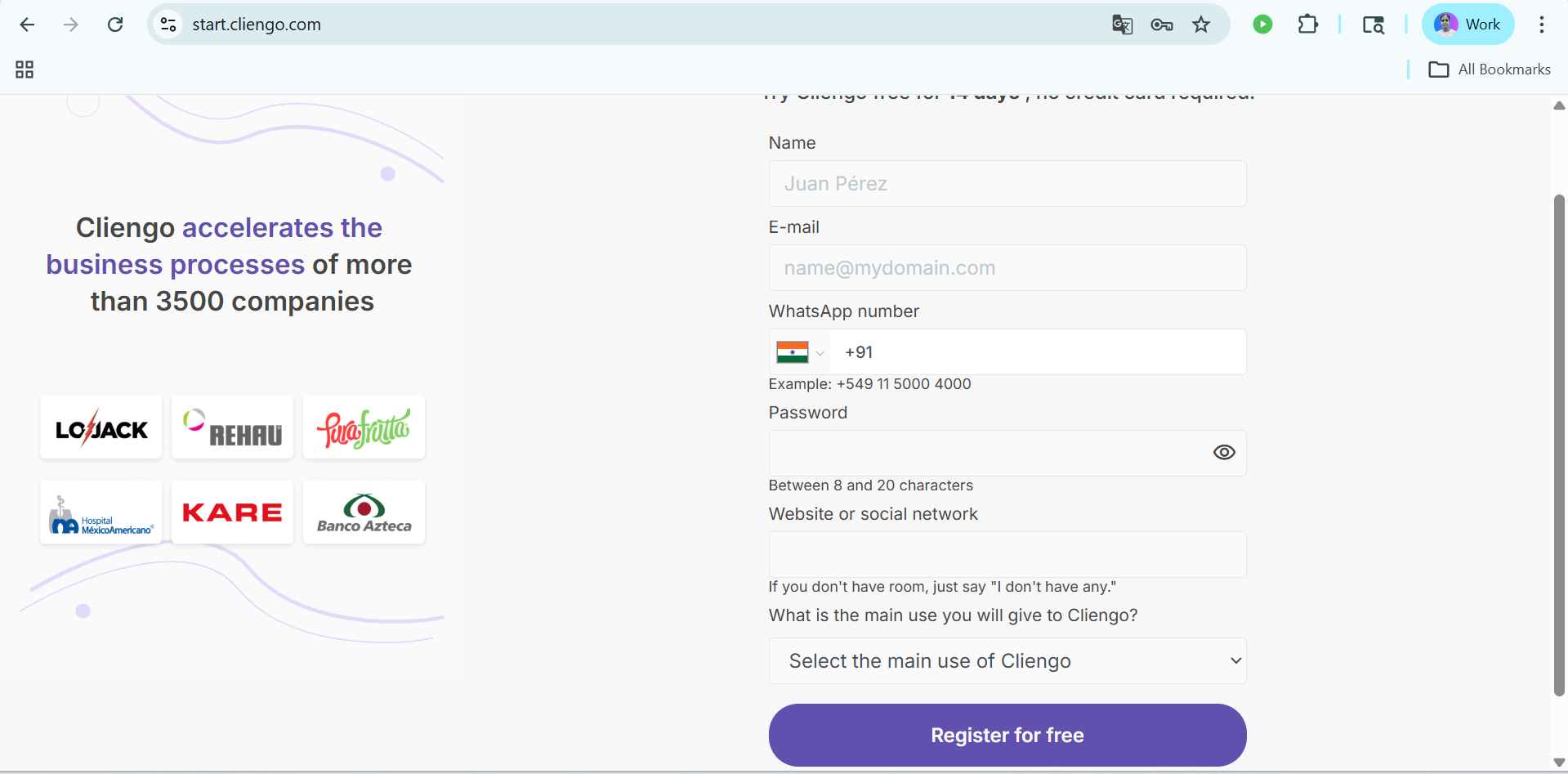
Step 1: First, sign in to your Cliengo account, and if you don’t have one, create a new account on Cliengo, fill in all the details and register.
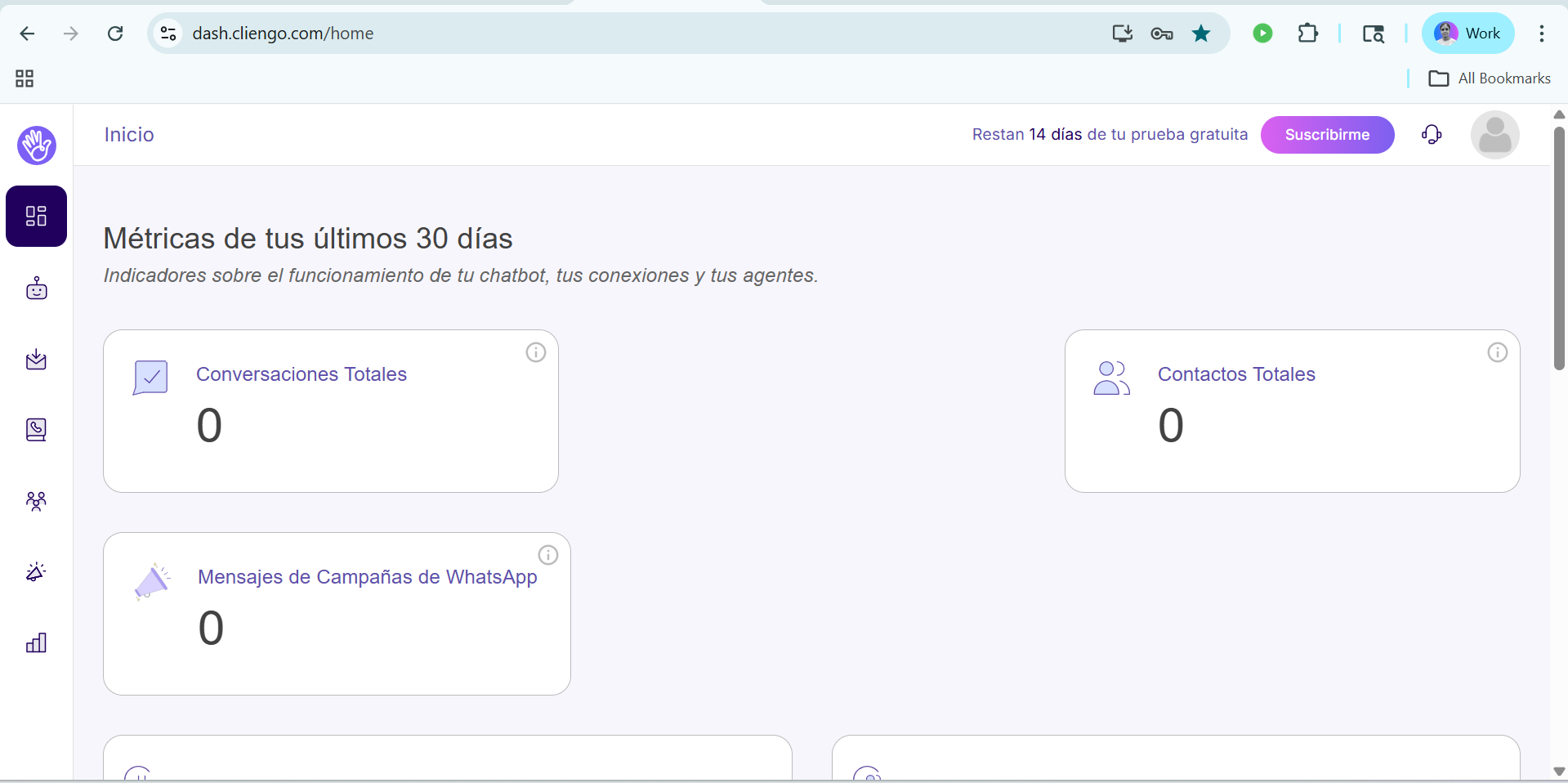
Step 2:- In the next step, after filling in all the details, you will see a dashboard like this.
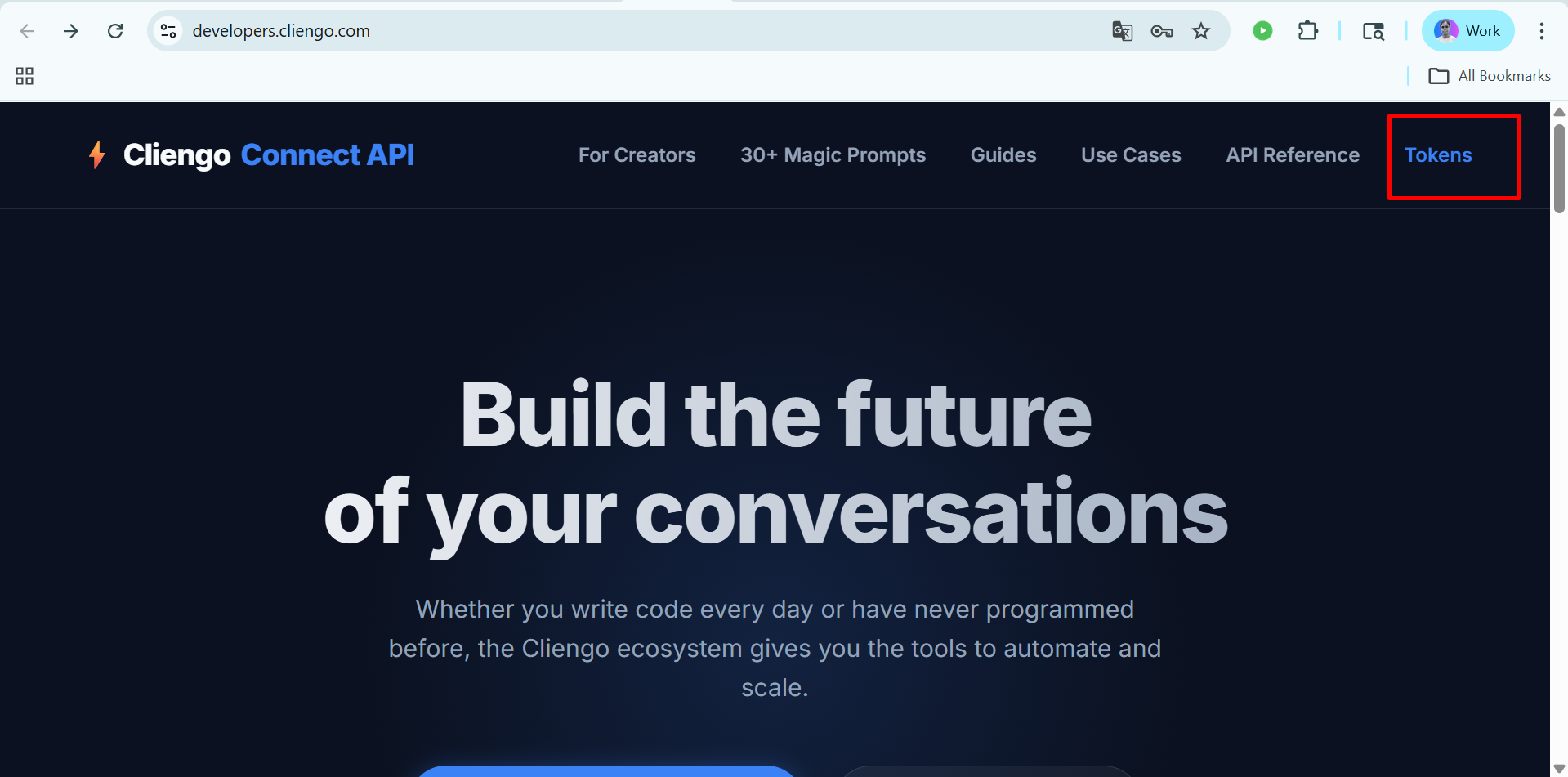
Step 3: After that Click on this link to find api key and Click on the tokens.
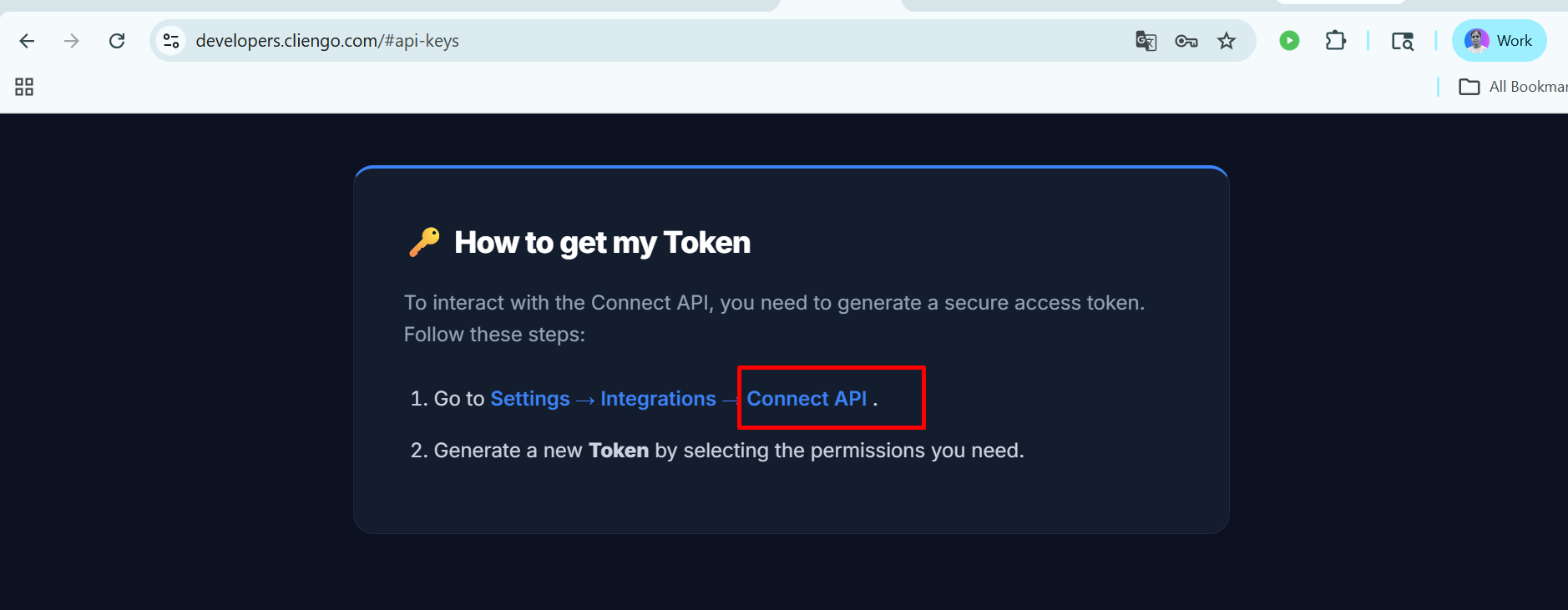
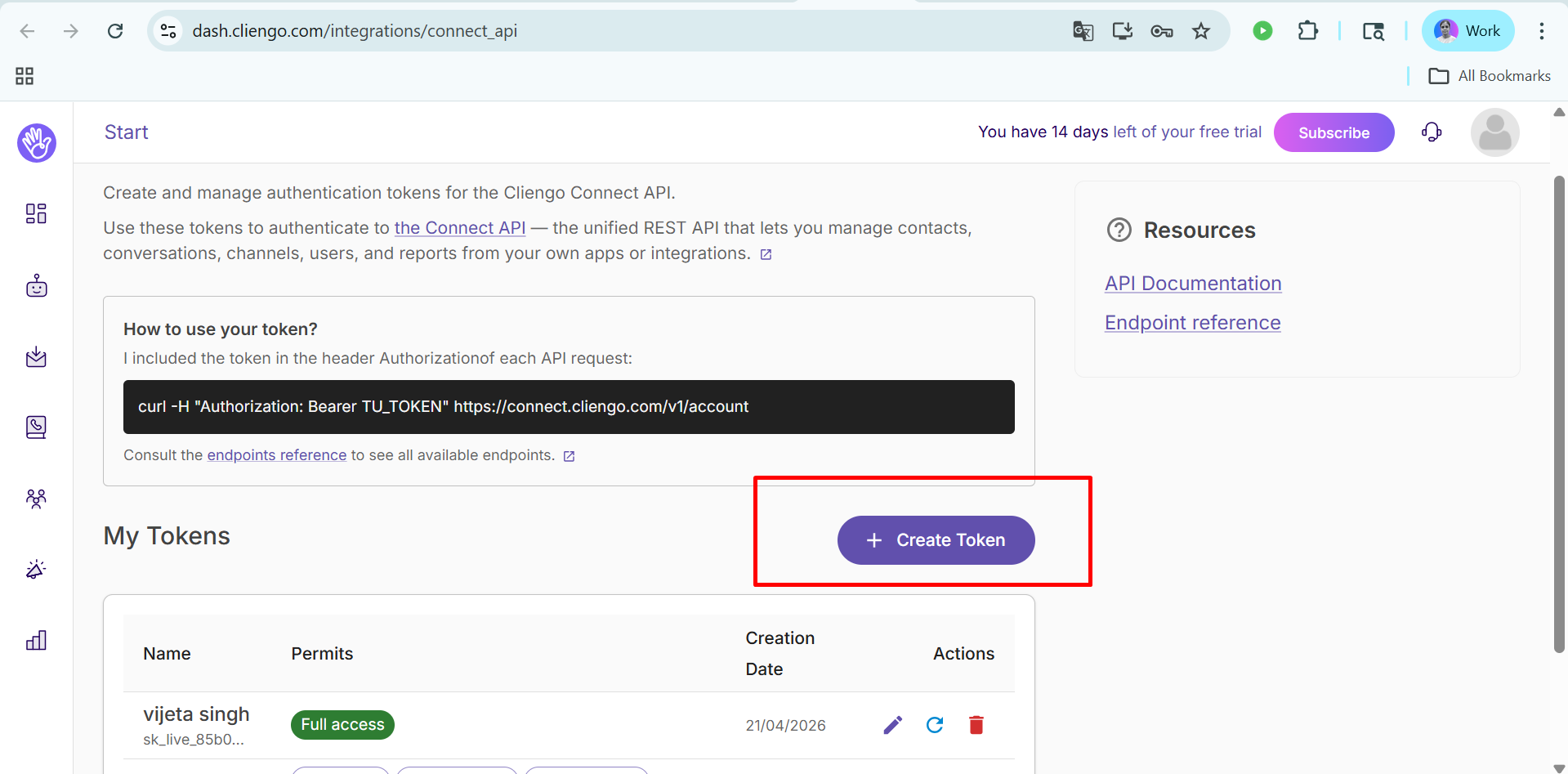
Step 4: After going to the token section , Click on the Connect API and Click on create token .
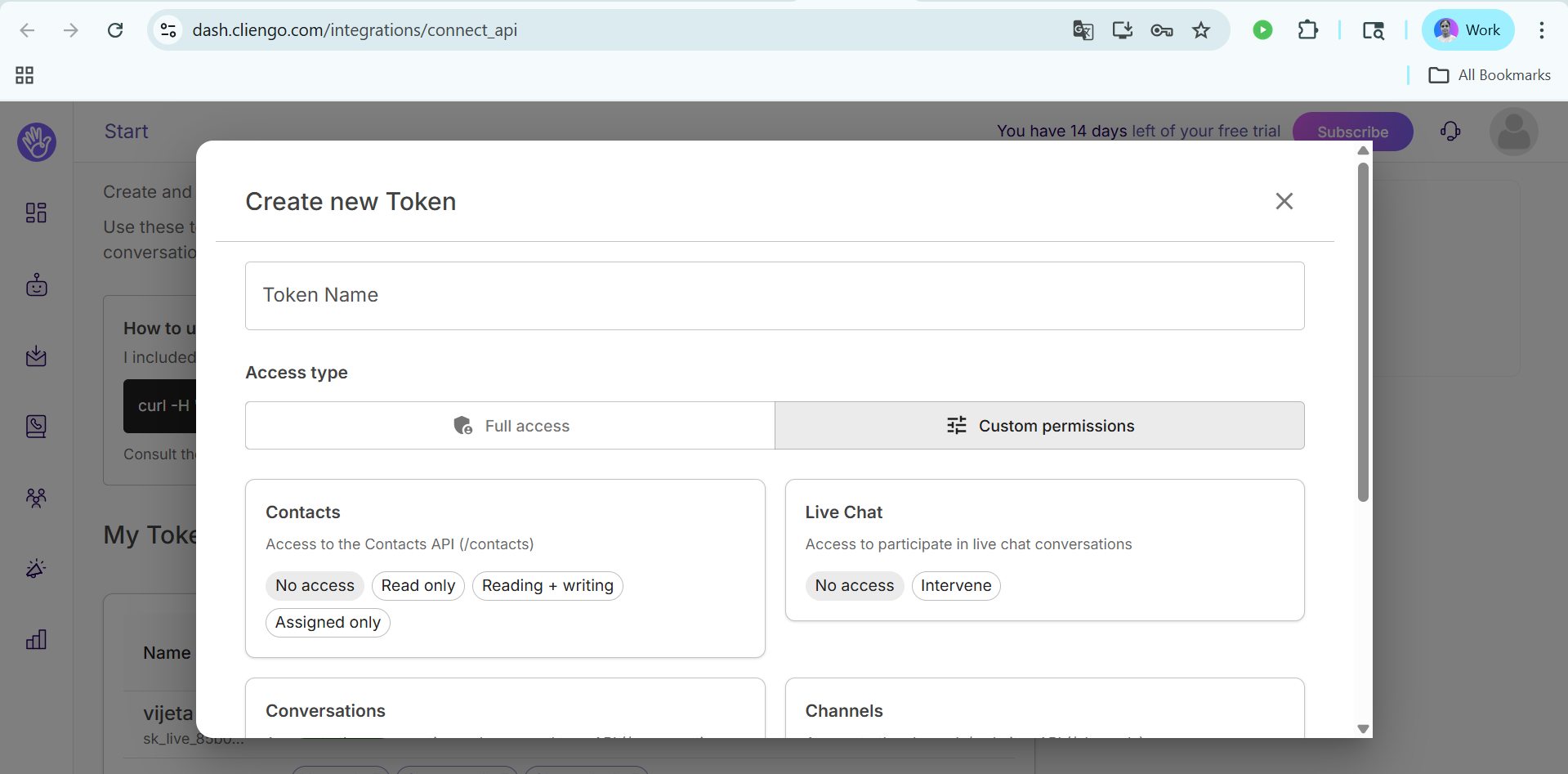
Step 5: After that, click on 'Create Token', fill in all details like token name and choose the custom permissions, and click on 'Generate Token'.
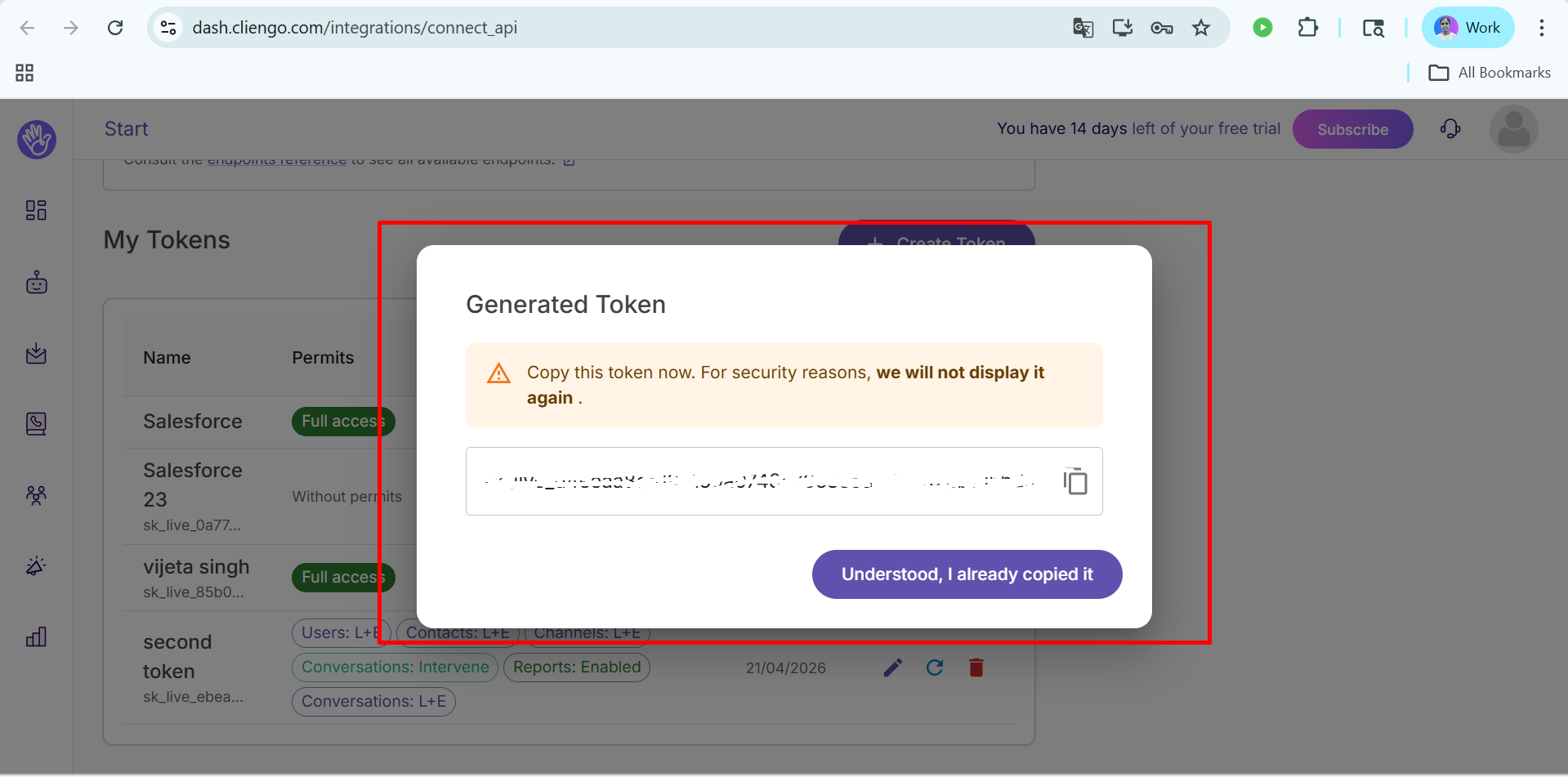
Step 6: After completing these steps, the API key will be generated and Copy and securely store your generated token for future use.
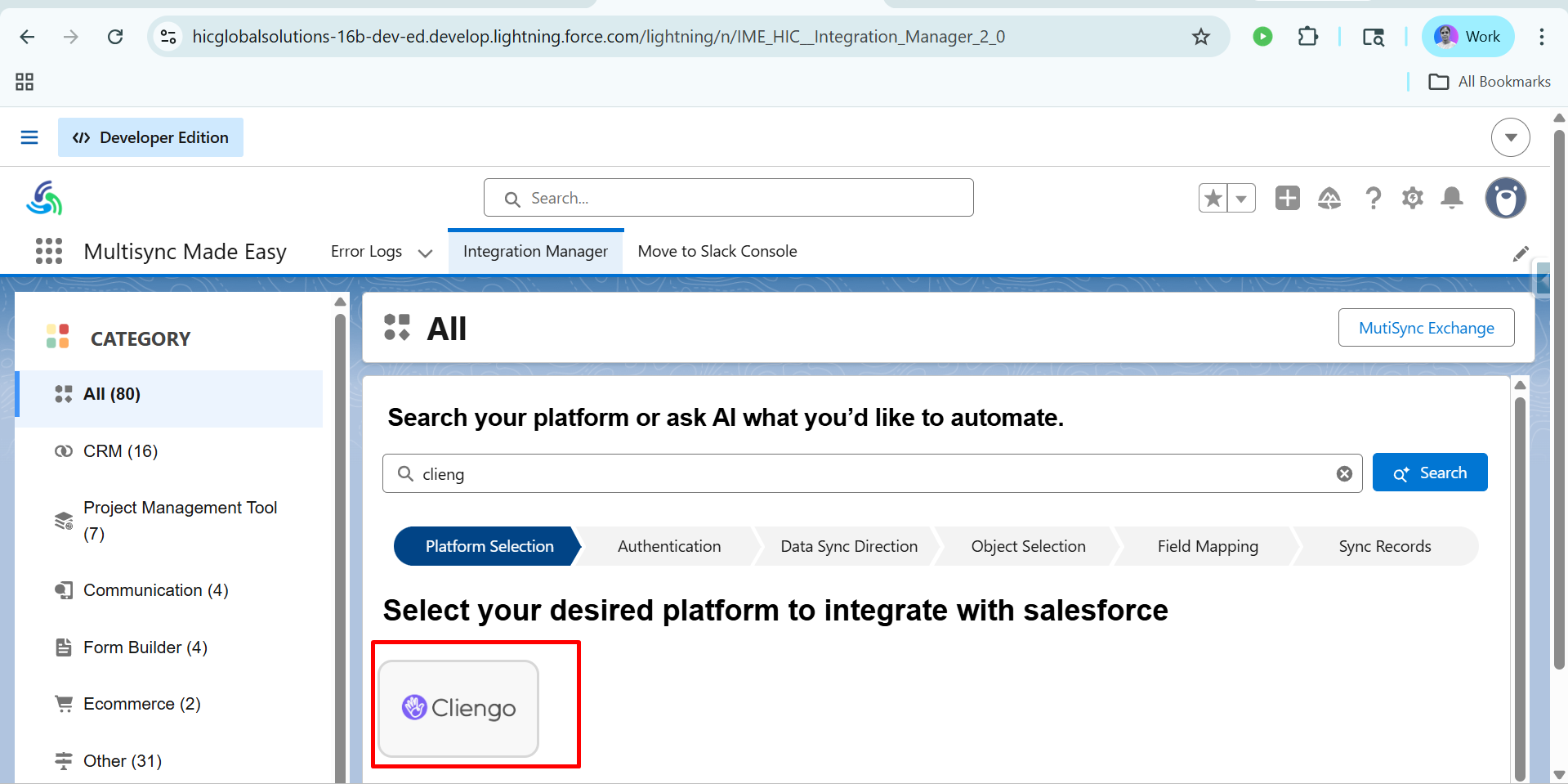
Step 7: Login the Salesforce and goto the Multisync Made Easy Page and Click on All and Search Cliengo.
Step 8:- After choosing the Cliengo, Enter API Key and Click on Save & Authentication.
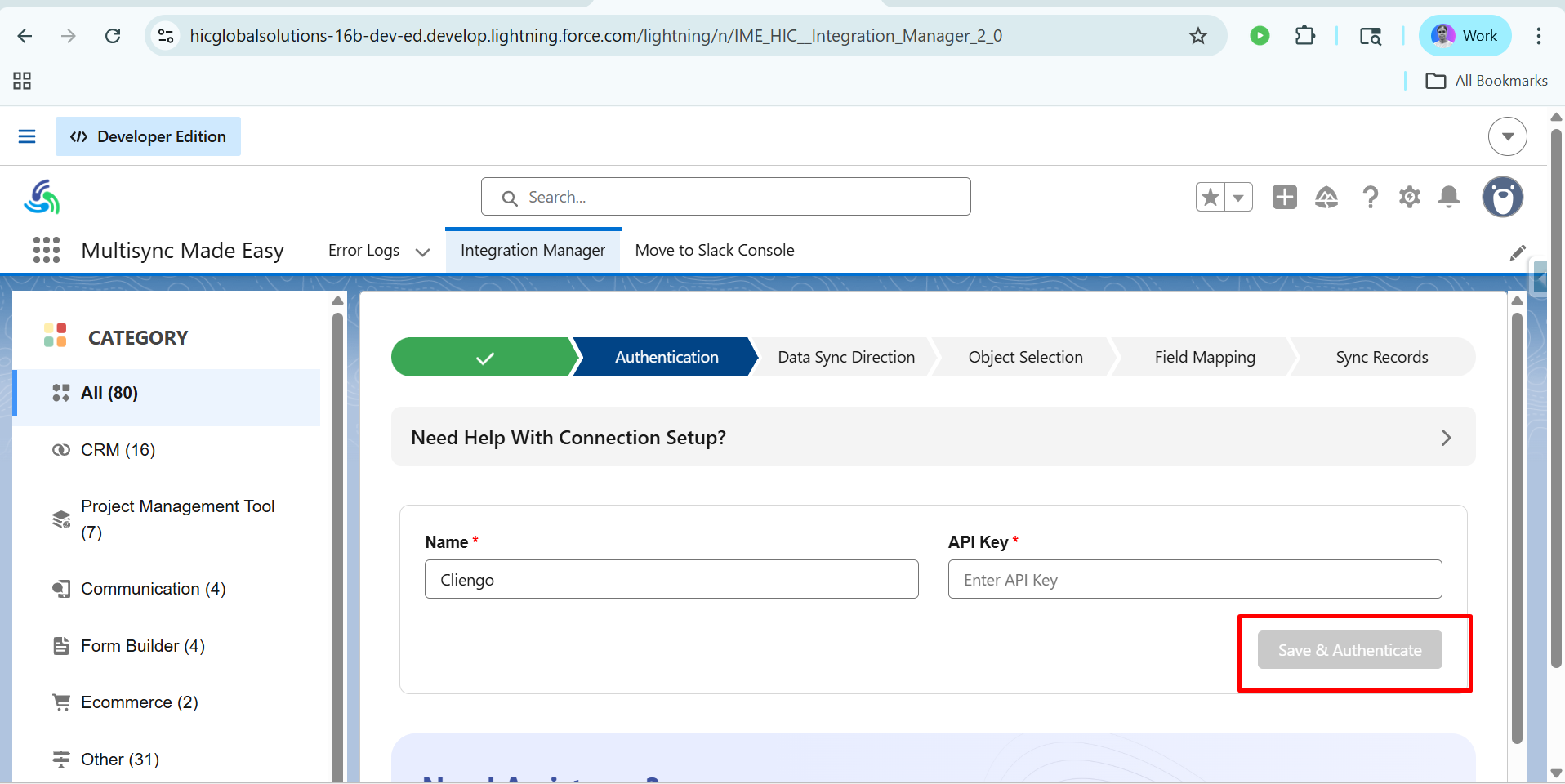
Step 9:- After clicking on Complete Authentication, you will see the Data Sync Direction dashboard, as shown below. Next, click on Import.
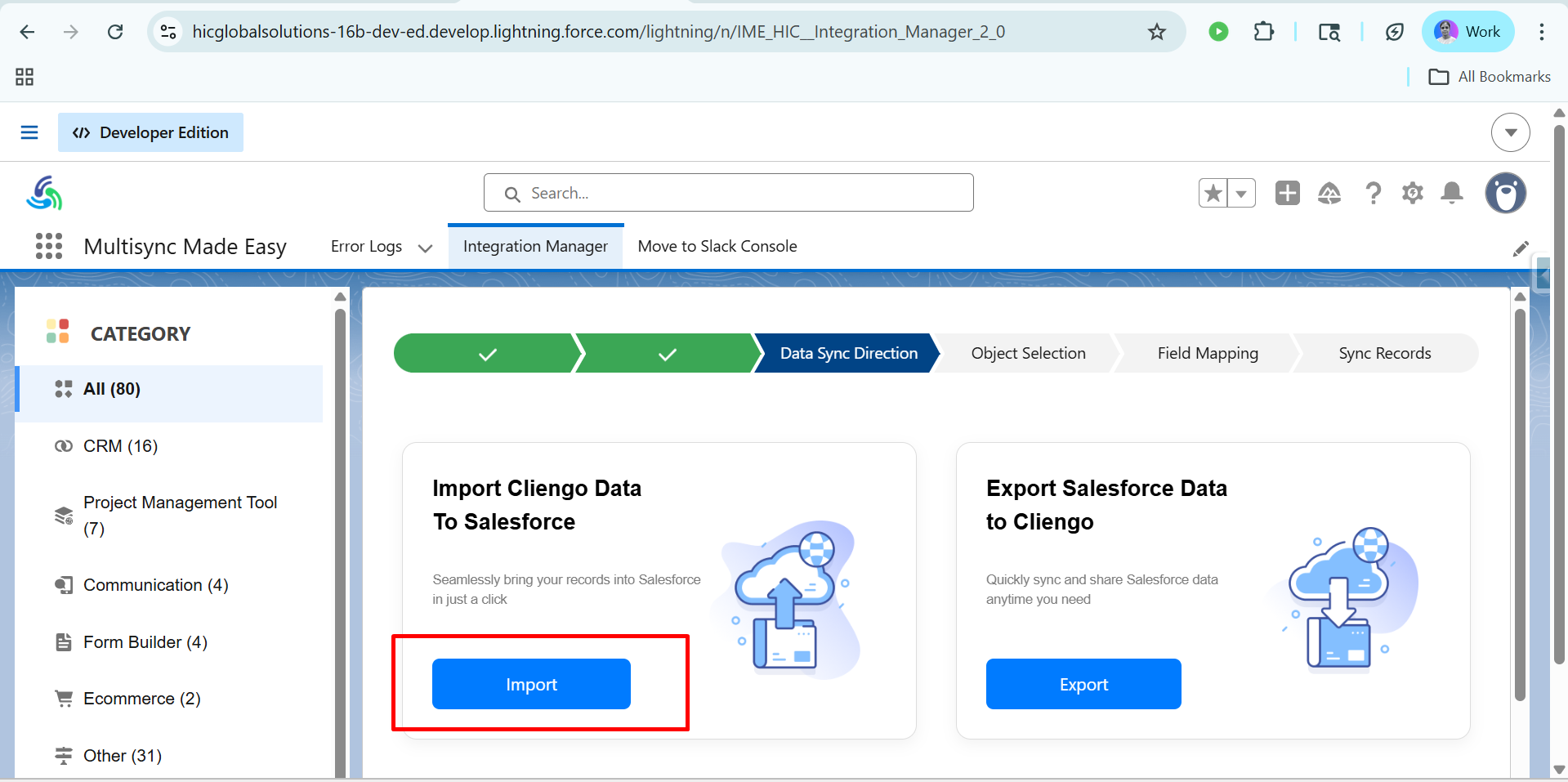
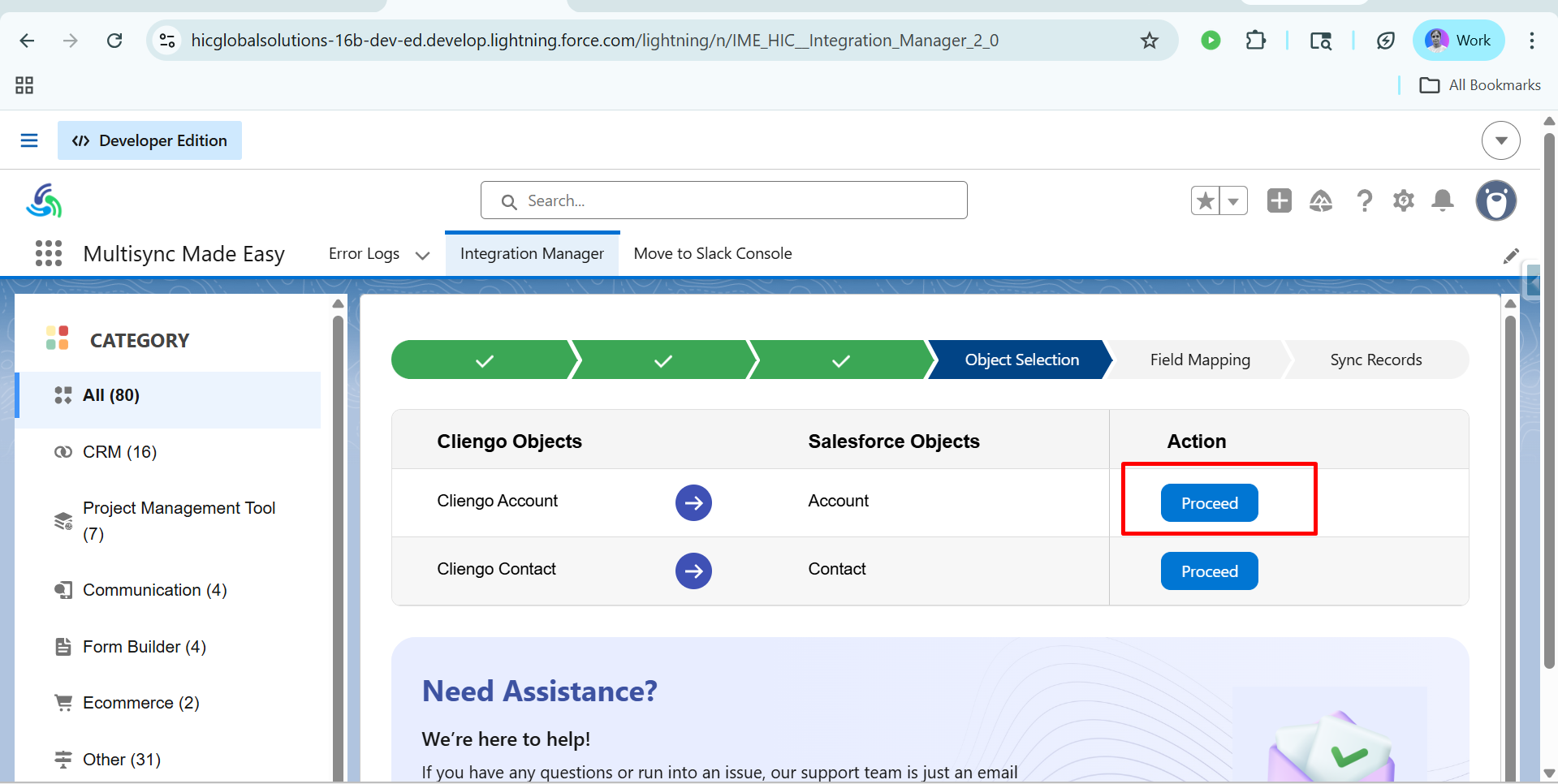
Step 10:- After clicking on Import, you will see the Object Selection dashboard. Click on Proceed.
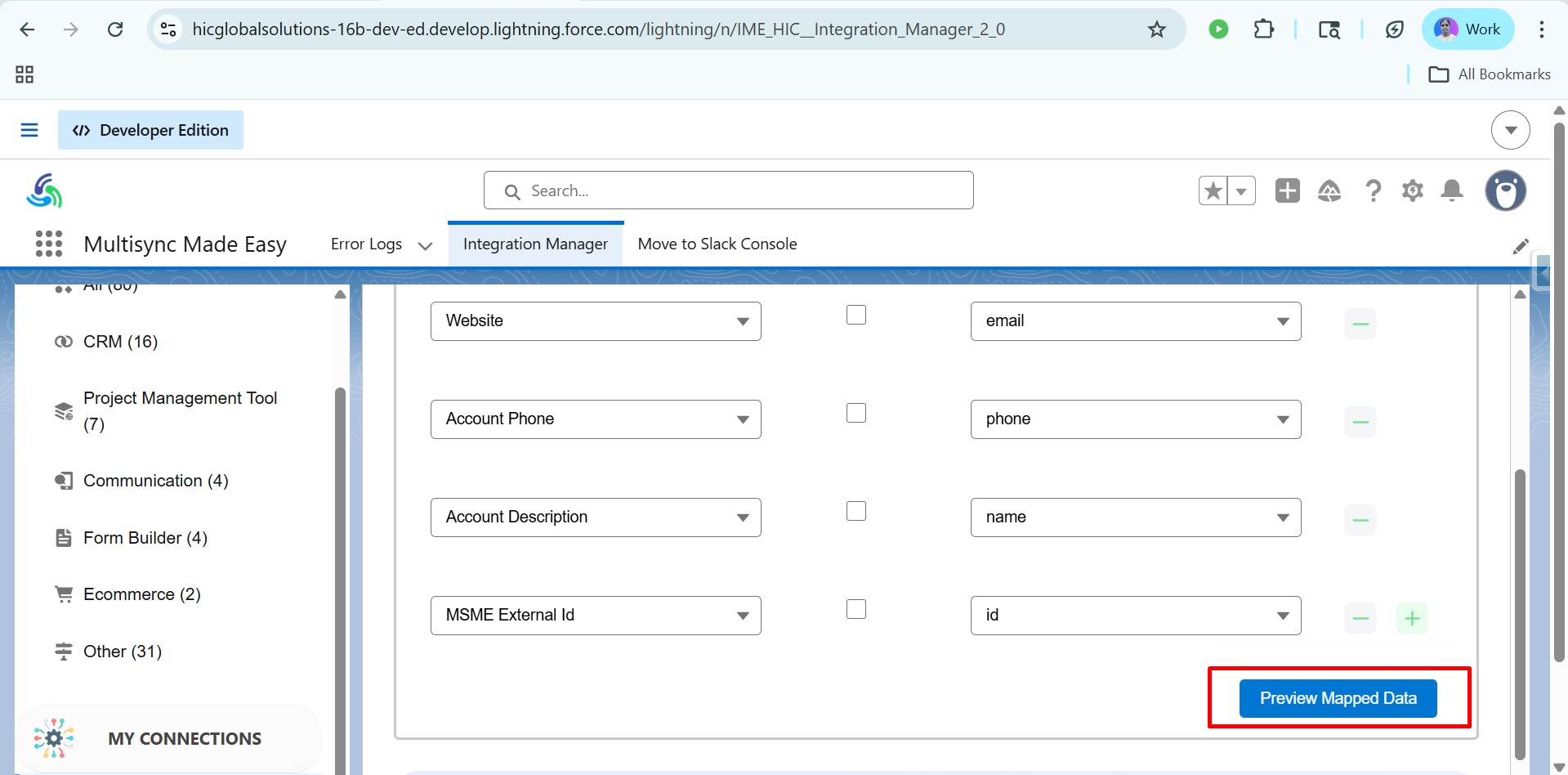
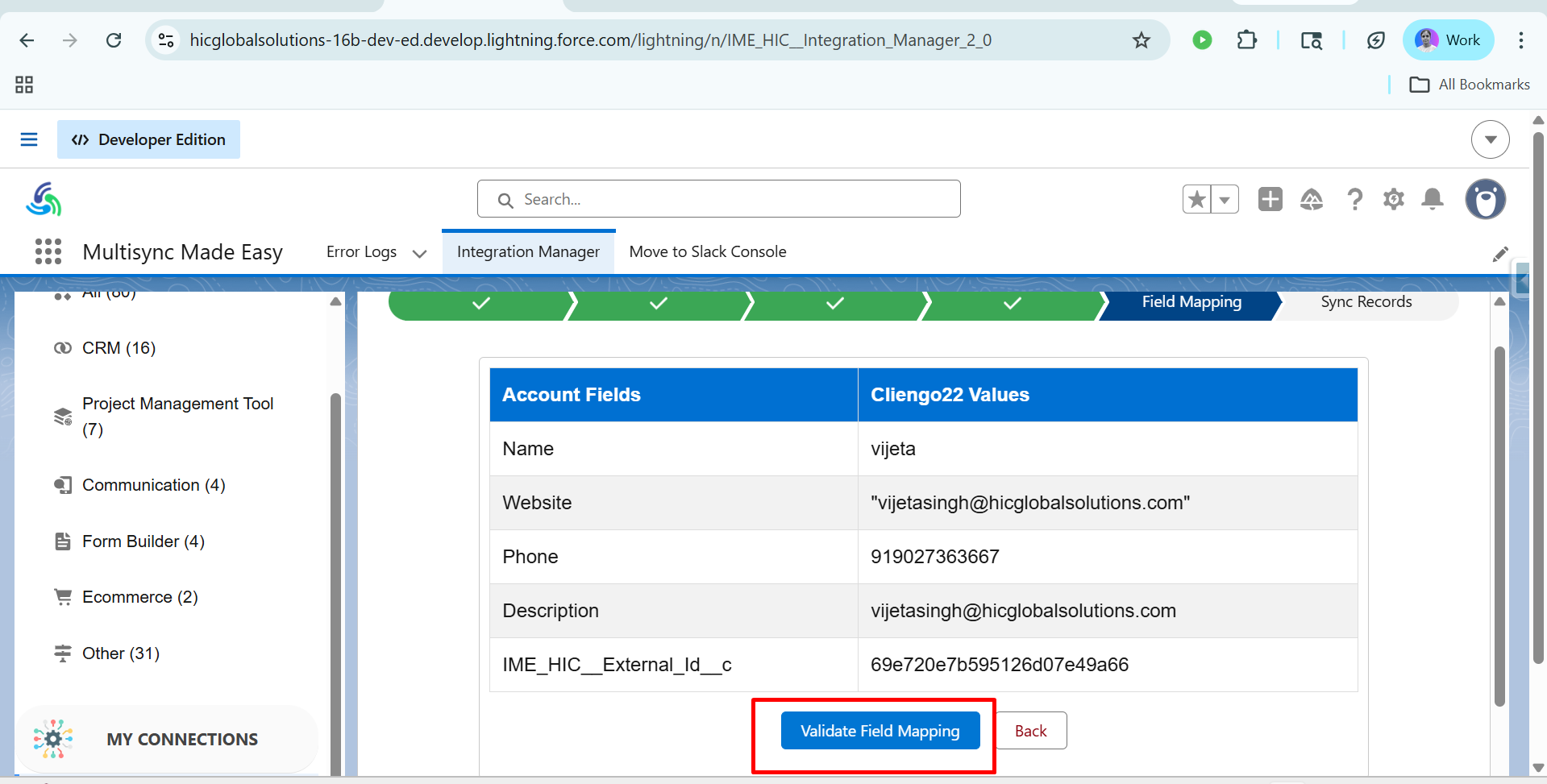
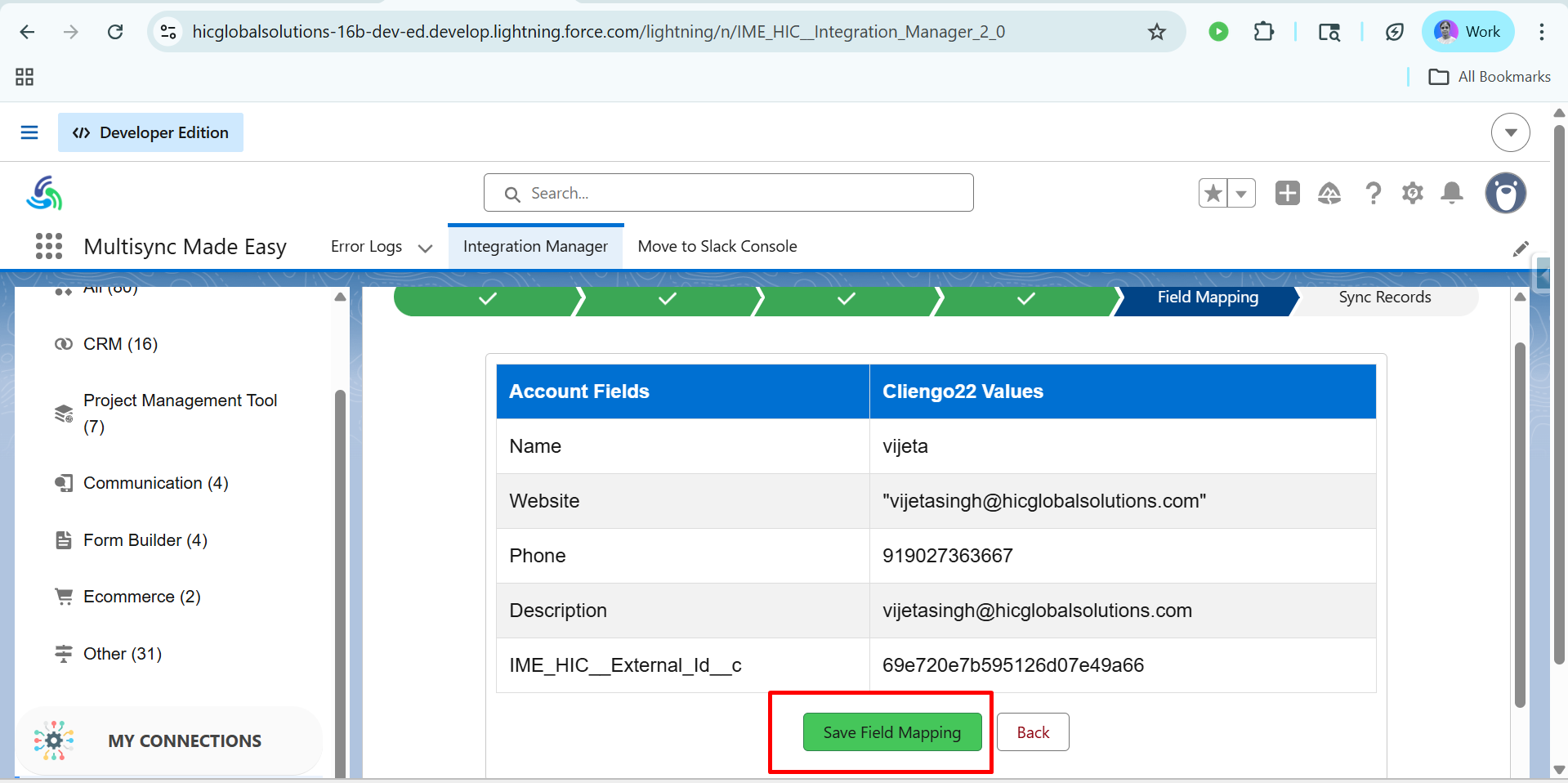
Step 11:- Now, click on Preview Mapped Data, and in the Field Mapping, click Validate Field Mapping and then Save Field Mapping, respectively.
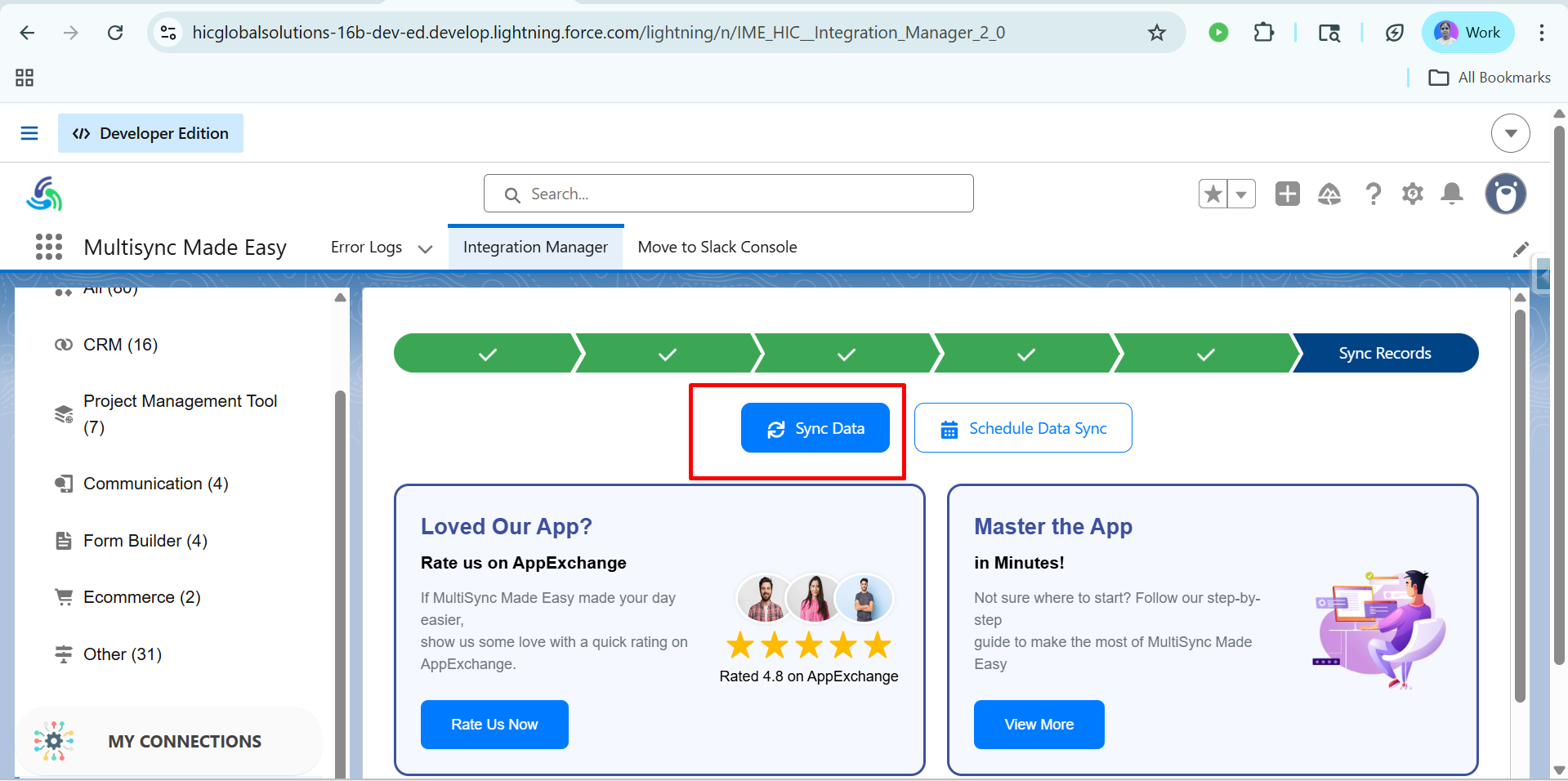
Step 12:- In the next step, click on the Sync Data button.
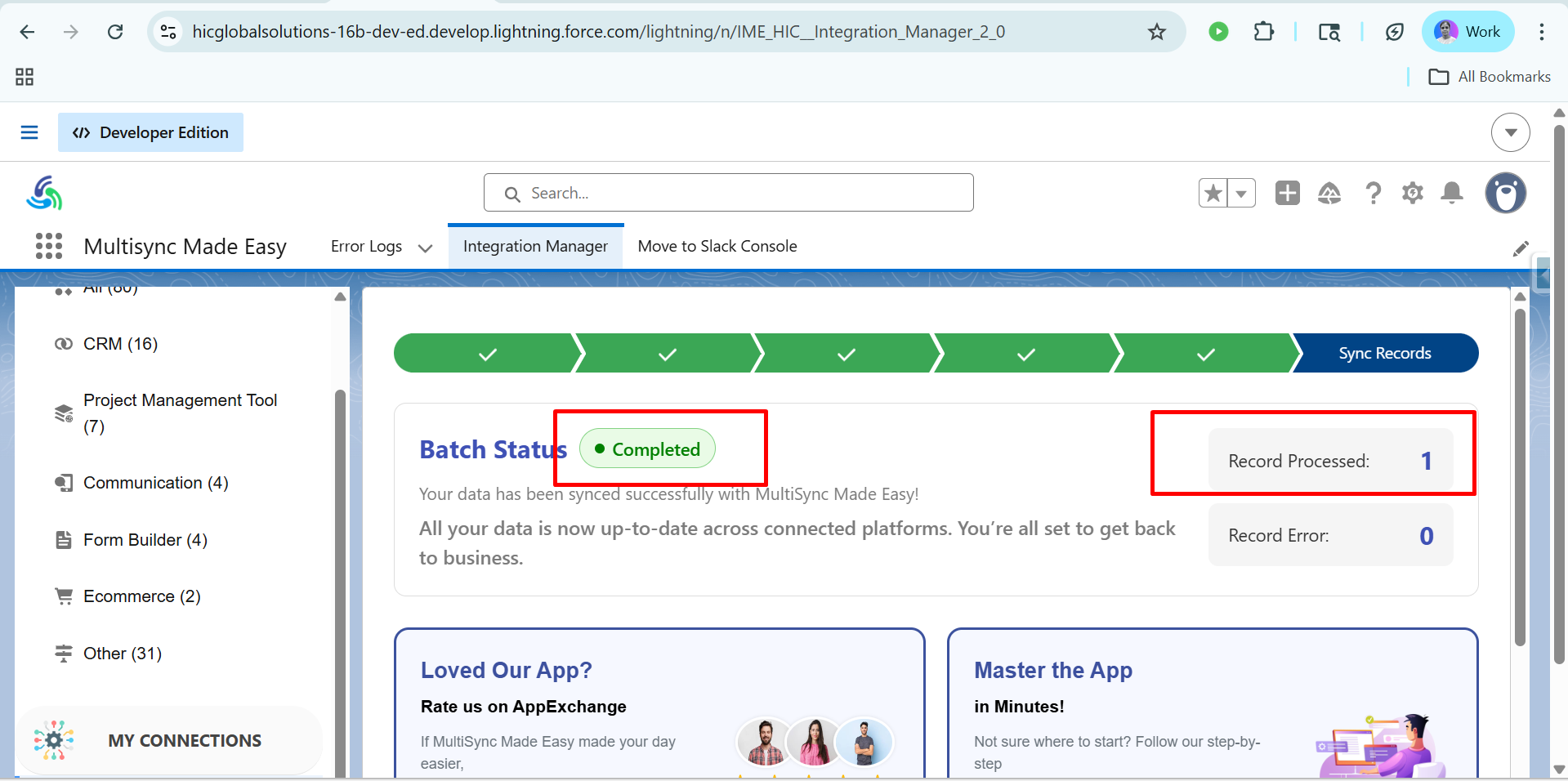
Step 13:- Finally, you’ll see a dashboard where you will see the Batch Status Completed.
The data from MultiSync Made Easy has been synced with Cliengo successfully. The record was created successfully, and the data has been generated.
Conclusion
Integrating Cliengo with Salesforce ensures that your customer conversations, leads, and engagement data flow seamlessly into your CRM for better visibility and faster decision-making. By automating this process, businesses can eliminate manual data entry, reduce errors, and respond to prospects more efficiently.
With a powerful Salesforce integration tool like MultiSync Made Easy, you can not only connect Cliengo effortlessly but also manage multiple integrations from a single platform. Whether you're scaling operations or optimizing workflows, MSME helps you build a connected, automated ecosystem.
By leveraging data migration and Salesforce integration with MultiSync Made Easy, you can create a true 360° data view, connecting apps, automating processes, and driving smarter business outcomes in 2026 and beyond.
Was this article helpful?
That’s Great!
Thank you for your feedback
Sorry! We couldn't be helpful
Thank you for your feedback
Feedback sent
We appreciate your effort and will try to fix the article